
SideStore Team Picks
Validated AltStore-compatible source
Apps
23 of 23 apps shown

VCMI Team
VCMI is a open source cross-platform HoMM3 engine written from scratch. You need data copied from original game to play. Follow instructions from https://wiki.vcmi.eu/Installation_on_iOS

neoarz
This app is purely for entertainment purposes and is not intended to predict or influence real-life events. Any countdown generated by the app is entirely fictional and should not be taken seriously. I am not affiliated with the creators of the movie Countdown and is not responsible for any emotional, psychological, or other effects caused by the use of this app. By using this app, you agree to do so at your own discretion and risk.

StikNES Team
StikNES is a SwiftUI-based NES emulator designed for iOS devices. It leverages the power of SwiftUI to deliver a clean, modern interface while emulating the classic NES gaming experience using the nes-rust library.

Theodore Dubois
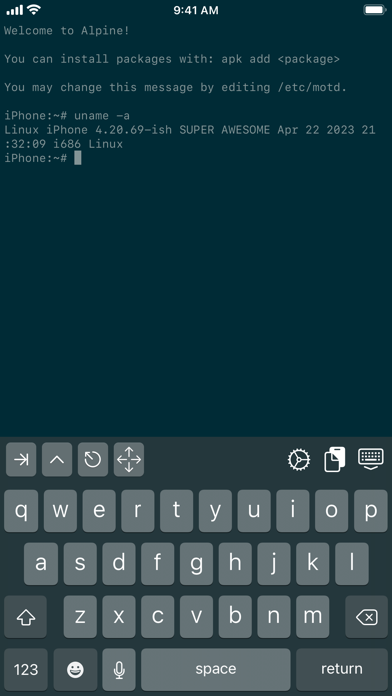
A Linux-like shell on iOS. You can edit files with sed and cat, move them around, and more! https://github.com/ish-app/ish/

Jean-Philip Desjardins
Play! is a portable PlayStation2 emulator. The focus of the project is on making PlayStation2 emulation easy and accessible. Just pop in your favorite game's disc and have fun! • No BIOS required. Play! is an high-level emulator. • Easy configuration. No custom settings to fix specific games. • Available on many platforms, making sure the experience is the same quality everywhere.

nspire-emus
Third-party multi-platform emulator of the ARM-based TI-Nspire calculators.

sagarkothari88
The build which was also submitted to the Apple for AppStore review

yoshisuga
MAME stands for Multi Arcade Machine Emulator. This app lets you play arcade games from the past 30+ years on your iPhone, iPad, macOS, or AppleTV. More than 2000 games are supported, and the currently supported romset version is MAME 0.139u1 (September 2010). Other nifty features include: * 64-bit binary to run on modern and future iOS devices * Supports modern device screen sizes, including iPhone X/XR/XS/XS Max and iPad Pro * A native iOS/iPadOS/tvOS frontend (by @ToddLa, new in 2020!) * A native Metal rendering engine (by @ToddLa, new in 2020!) * tvOS support (new in 2019!) * An in-app web server to transfer files from your computer (new in 2019!) * Transfer ROMs, Artwork, and ROMSETs via AirDrop or iOS File Sharing (new in 2020!) * Multiple MFI controllers (up to 4 with dual analog support - @DarrenBranford) * Supports using the touch screen as a lightgun * Turbo mode toggle for buttons * Touch analog for games like Arkanoid * Builds in Xcode 11.x/12.x and runs on latest iOS 13/14 versions

sagarkothari88
The build which was also submitted to the Apple for TestFlight review

libretro
RetroArch is a frontend for a plethora of emulators. Almost every Retro console can be run using one of RetroArch's downloadable cores. There are several ways to customize your experience by installing different themes, rearranging your touchscreen controls, and downloading game box art. RetroArch enables you to run classic games on a wide range of computers and consoles through its slick graphical interface. Settings are also unified so configuration is done once and for all. In addition to this, you will soon be able to run original game discs (CDs) from RetroArch. RetroArch has advanced features like shaders, netplay, rewinding, next-frame response times, runahead, machine translation, blind accessibility features, and more! Check out all of RetroArch's awesome features at our website: https://www.retroarch.com/

Henrik Rydgård
PPSSPP can run your PSP games on your iPhone and iPad in full HD resolution. It can even upscale textures that would otherwise be too blurry as they were made for the small screen of the original PSP. Even on modern iPhones and iPads, you can often run at double the original resolution.

ScummVM Team
ScummVM is a program which allows you to run certain classic graphical point-and-click adventure games and role-playing games, provided you already have their data files. The clever part about this: ScummVM just replaces the executables shipped with the games, allowing you to play them on systems for which they were never designed! ScummVM supports a huge library of adventures with over 250 games in total. It supports many classics published by legendary studios like LucasArts, Sierra On-Line, Revolution Software, Cyan, Inc. and Westwood Studios. Next to ground-breaking titles like the Monkey Island series, Broken Sword, Myst, Blade Runner and countless other games you will find some really obscure adventures and truly hidden gems to explore.

Brandon Plank
This Flappy Bird is a revival of the original Flappy Bird by Dong Nguyen. There are a many new features to enhance gameplay as well! • Tap to flap • Avoid the hitting the pipes • Flap for infinity!

Gryphel Project & zydeco
Features • Emulates Mac Plus, Mac II or Mac 128K • Full simulated keyboard (including all Mac keys) • Full sound output • Uses external keyboard if available • Regulable emulation speed • Easy(ish) to import/export disk images Please check out the github README for usage instructions: https://github.com/zydeco/minivmac4ios

Wh0ba
XPatcher is a GUI front-end for flips, libppf, xdelta, and libRUP patching libraries. This app allows you to apply patches to files on your iOS devices, mostly used to apply rom hacks to video game roms with a simple to use interface to make it as user-friendly as possible.

Pwn20wnd
unc0ver is an advanced jailbreaking tool for iOS devices. Jailbreaking with unc0ver unlocks the true power of your iDevice. Customize the appearance of your device, gain full control over how your device operates, obtain access to hidden features of iOS, and more. Compatibility: * unc0ver supports iOS 11.0 through to iOS 14.3 (Excluding 13.5.1 and 13.3.1) Stability: * Utilizing the latest stable APT and Mobile Substrate, stability is guaranteed. Security: * Utilizing native system sandbox exceptions, security remains intact while enabling access to jailbreak files.

zzanehip
OldOS is a testament to the days of yesteryear, showcasing what iOS once was ten years ago. The ethos of the app is to merge the technologies of today with a pixel-perfect recreation of the user experience of the past. The vast majority of apps in OldOS are fully functional — meaning they seamlessly integrate with the data on your phone to deliver a live, emulator-esque experience. What does this mean? Well, you can play your music in iPod, get directions in Maps, surf the web in Safari, view the current weather in Weather, and much more. By the same token, no shortcuts were taken in fully fleshing out the operating system. You can change your background, adjust settings, search apps, et cetera. There are a few apps still not ready for primetime but don't worry, they're coming soon. With OldOS, you no longer need to worry about securing a legacy iPhone to experience nostalgia — it's available on your daily driver. Part of the goal with OldOS is to enable anyone to understand how iOS works and demonstrate just how powerful SwiftUI truly is. For that reason, the entire app is open-sourced — enabling developers to learn about, modify, and add to the app. I thought building this over my last six or so months in high school and sharing it with the world would be a fun and productive endeavor. Special Features: * 🧑💻 Built almost entirely using SwiftUI. * 🎨 Designed to be as close to pixel-perfect as possible. * 📱 Fully functional, perhaps even usable as a second OS. * ❤️ A testament to the work of Apple employees of both the past and the present. * 🗺️ Fully open source for all to learn, modify, and build on.

yoshisuga & Olivier Goguel
An emulator for all things Apple.

iNDS Team
iNDS is a derivation of the previous Nintendo DS emulator apps for iOS: nds4ios and Nitrogen. The iNDS Team release of iNDS is a fork of the original iNDS emulator by William Cobb. The iNDS Team aims to create a version that is driven by support from the community, adding trusted contributors to the team over time so that pull requests and issues do not sit untouched. Currently, emulation is powered by the DeSmuME threaded ARM interpreter and runs at nearly full speed on the iPhone 5 and above. Due to the need to mmap the entire ROM into memory, older devices with only 256MB of RAM are not supported. These devices include the iPod Touch 4, iPad 1, iPhone 3GS, and anything below those devices.

XITRIX
iTorrent is an ordinary torrent client for iOS with Files app support. What can this app do: • Download in the background • Sequential download (use VLC to watch films while loading) • Add torrent files from Share menu (Safari and other apps) • Add magnet links directly from Safari • Store files in Files app (iOS 11+) • File sharing directly from app • Download torrent by link • Download torrent by magnet • Send notification on torrent downloaded • FTP Server (unstable) • Select files to download or not • Change UI to dark theme Now supporting these localizations: • English • Russian • Turkish

litchie
Play classic DOS games on your iPhone and iPad! iDOS turns your device right into a powerful DOS gaming PC, with modern game control to make your old favorites as playable as possible. You can also use iDOS for non-gaming purposes, such as word processing, casual programming. Apps in the DOS days are often simpler and surprisingly productive. KEYBOARD iDOS provides a PC compatible on-screen keyboard with carefully designed layouts for different devices and orientations. The keyboard has a sliding control in landscape mode so that you can keep it from covering critical part of the screen. Bluetooth keyboard is partially supported. We support ESC, function keys, and ordinary CTRL and ALT key bindings. Unfortunately the arrow keys can't be used for game control. You should use a bluetooth game controller instead. GAMEPAD iDOS provides a virtual gamepad with key bindings that are fairly common in DOS games. You can customize the bindings. The DPAD works in 8-axis way. It can also be toggled into a joystick. External bluetooth game controllers are supported. Make sure your game controller is connected (System Settings->Bluetooth). To customize button bindings, go to iDOS in landscape mode, tap on bluetooth icon on the auto-hiding top bar. MOUSE * The screen area serves as a trackpad for moving mouse pointer. * Tap on the screen for left click. If direct touch is enabled, the mouse pointer will move to where you tap. * Hold one finger on the screen, and tap with another finger for right click. * On-screen mouse buttons are also provided for your convenience. * Bluetooth mice are only partially supported. SUPPORT - Visit https://litchie.com/dospad for more information. - Send email to [email protected] - Follow the developer on Twitter: https://twitter.com/litchiedev - iDOS is open source, report issues on https://github.com/litchie/dospad

T-Pau
Ready is an open source emulator for the following 8 bit home computers: * Commodore 64 * Commodore VIC-20 * Commodore 16, Plus/4 * Sinclair ZX Spectrum (16k, 48k, Spectrum+, 128k, +2) With preliminary support for these computers: * Atari 600XL, 800XL * Commodore 128 * Commander X16 It is based on atari800, fuse, Vice, and x16-emulator, which provide accurate emulation of many hardware variants and peripherals. Ready requires at least iPadOS 13.5. Ready aims to approximate the feeling of using actual hardware. Rather than configuring abstract settings, you select hardware components. The software keyboard is a facsimile of the original, reflecting the different existing styles. Even the noise of the disk drive is emulated. The Library section offers a way to organize a large collection of games, demos and programs. The emulated hardware can be customized for each entry. The Inbox provides a place to quickly try new programs. You can easily move the ones you want to keep to the library. Tools mode allows attaching a cartridge like Action Replay or Final Cartridge and a collection of disks with your favorite tools, to help you dig into the programs, like back in the day.

Louis Anslow
Rewound uses your Apple Music library and displays it in the nostalgic style of an old spin-wheel iPod.
You have reached the end of the results.