
Productivity
Browse productivity IPA listings for notes, calendars, documents, scanning, email, task management, and office workflows.
Apps
24 of 73 apps shown


Tigran Muradyan
Pomidor is a calm, simple pomodoro timer for studying and deep work. Plan your day, focus in timed sessions, take real breaks, and watch the hours add up. FOCUS YOUR WAY • Set your own focus and rest lengths, or count up with Timeless mode and stop when you're done • Name your sessions and organize them with tags • The screen stays awake while you focus, and sessions can pause automatically when you leave the app • A gentle notification tells you when a session or a break is over PLAN THE DAY, THEN WORK THE PLAN • Daily Focus Planner: list today's tasks and estimate how many pomodoros each one needs • Start a focus session straight from a task and watch its progress fill in • Move unfinished tasks to the next day with one tap • Task History: look back at any day and pull a past task into today SEE YOUR PROGRESS • Calendar, charts and a full session history, filtered by tag • A heatmap of your focus days • Insights: focus score, your best focus hours, weekly trends and session quality STAY IN THE ZONE • Ambient sounds that keep playing when your phone is locked • A Live Activity on the Lock Screen and in the Dynamic Island keeps your timer in view • A home screen widget with your focus time, sessions and streaks MAKE IT YOURS • Themes and alternate app icons • Your sessions, tags and plan sync across iPhone and iPad with iCloud, and everything works offline Made for students, ADHD-friendly routines, writing, coding, homework and deep work: anyone who does their best work in focused sprints with real breaks. WHAT IS FREE, WHAT IS PRO Free: the focus and rest timer with your own lengths, the Live Activity, quick stats, one planned task a day, the piano ambient sound and iCloud sync. Pomidor Pro adds unlimited daily tasks with one-tap carry-over, Timeless mode, full analytics and insights, your own tags, every ambient and end sound, all themes and app icons, and the home screen widget's stats. Pro is an auto-renewing subscription (monthly or yearly) or a one-time lifetime purchase; the price is shown in the app before you buy. Subscription payment is charged to your Apple Account at confirmation of purchase. It renews automatically unless cancelled at least 24 hours before the end of the current period, and the renewal is charged within the 24 hours before it ends. Manage or cancel any time in your App Store account settings. Terms of Use (EULA): https://www.apple.com/legal/internet-services/itunes/dev/stdeula Privacy Policy: https://doc-hosting.flycricket.io/pomidor-privacy-policy/24e82531-5536-4894-9bae-fdfa1228b0d9/privacy


Nishith Sekhar Revappala
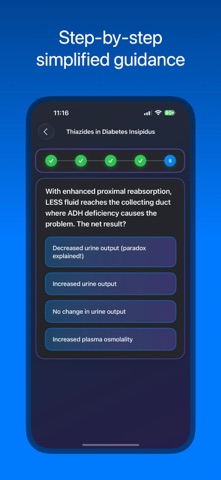
A must have review app for pharmacology. “Drugs are the cornerstone of modern therapeutics” -Harrison’s Principles of Internal Medicine Pharmacology is the most important subject for building a strong career in modern healthcare. Pharmacology is one of the most difficult subject to go through in medical as well as other paramedical fields. The learning curve in pharmacology especially in an undergraduate level is steep. The subject is vast coupled with names and concepts that are volatile. Simplify Rx tries to simplify that process. Each section of pharmacology is laid out elegantly into different topics. Multiple choice questions (MCQs) are prepared thoughtfully to aid in memory and addressing the concepts. Curated notes has classification of all the drugs in an elegant form across systems. Description of all the drugs and topics are also included. Learn pharmacology at your own pace in this beautifully crafted app. Features about Simplify Rx: -Complete MCQs (1000+) across whole pharmacology* -MCQs arranged across all sections under respective topics -Review your knowledge in each topic -Curated notes across whole pharmacology* -Concept chains to simplify high yield topics* -Elegantly laid out classification across systems -Illustrations and mnemonics to simplify pharmacology * Access MCQs, concept chains and curated notes of certain topics across all sections before you can decide about pro version With Simplify Rx Pro, you get access to all the content -Access to more than 1000 MCQs across whole pharmacology -Grand practice sessions: Choose the number of questions and test your knowledge across whole pharmacology -Complete access to curated notes across all systems -Complete access to 50+ concept chains -100+ illustrations and mnemonics The app is suitable for all medical students and healthcare professionals who are preparing for pharmacology examinations. Also helpful for professionals to brush up their pharmacology knowledge on the go. Disclaimer: The app is NOT designed for providing prescription services. The data is provided solely for educational purpose of undergraduates for pharmacology preparation. We are not liable to any losses occurring from such use. Any dosage given is only for educational purpose. We are not liable for any error in the dosing schedule. We strongly advise all healthcare professionals to go through appropriate product literature approved from relevant regulatory authorities before prescribing in real world. Simplify Rx Pro is billed annually at the rate corresponding to the selected plan. - Payment will be charged to apple account at confirmation of purchase. - Subscription automatically renews unless auto-renew is turned off at least 24-hours before the end of the current period. - Account will be charged for renewal within 24-hours prior to the end of the current period, and identify the cost of the renewal. - Subscriptions may be managed by the user and auto-renewal may be turned off by going to the user's Account Settings after purchase. - Any unused portion of a free trial period, if offered, will be forfeited when the user purchases a subscription to that publication, where applicable. Simplify Rx: Terms of use: https://www.simplifyingmed.com/simplify-rx/terms-of-use Privacy policy: https://www.simplifyingmed.com/simplify-rx/privacy-policy Feel free to contact us at [email protected], your feedback and suggestions are very important to us.


Budget Bestie Corp.
hey bestie, ready to make budgeting effortless? with budget bestie, you can take full control of your money on your own terms—whether you get paid weekly, biweekly, twice a month, or monthly, we’ve got you covered. using the cash stuffing method, you’ll say goodbye to stress and hello to a budgeting approach that fits your life perfectly. okay but what’s cash stuffing? 1. create envelopes – create an envelope for each expense category like food, eating out, rent 2. stuff your envelopes – put all of your cash into envelopes based on how much you’ll spend before you get paid again 3. spend your money – this is the fun part - don’t feel guilty for spending your hard earned money. when you buy something, use the cash from the corresponding envelope 4. get paid, repeat - record your income (cha-ching) and go back to step 2, stuff your envelopes how budget bestie works - no need to carry cash - we’ve taken this 100+ year old proven technique and put it in your iPhone - say bye to math and spreadsheets - we’ll recommend how much to stuff into each envelope based on previous spending habits and upcoming bills - avoid late fees by getting reminded - we’ll send you a notification when you haven’t recorded paying a recurring expense - hit your savings goals - create savings envelopes and we’ll make sure you’re on track to hit your goals - budget on your schedule - whether it’s weekly, biweekly, twice a month, or monthly, you can budget based on what works for you what our besties are saying: “First full month of the app and it's so simple. I've not had to dip into my emergency fund or sinking fund or use overdraft. I've even managed to put some money towards debt and not reuse it” - @Nicola Disney Pomeranian Mummy "Been using budget bestie for a month!The monthly recap made me realize I spend so much on little things (like buying to go lunch everyday) since it's in budget, but never seen how much it adds up" – @Julia "This app is great I have been searching for a budgeting app that lets me budget per check and this is it” - @Chy6699 “Definitely helped me the last two weeks. Can't wait to see how much money I can save.” - @Erin Backes subscription details: before your free trial begins, you’ll choose between a monthly or annual subscription. subscriptions are billed and managed directly by Apple. you can manage or cancel your subscription anytime within your iPhone settings app. terms of use: https://www.apple.com/legal/internet-services/itunes/dev/stdeula/


Rodney Cyprian
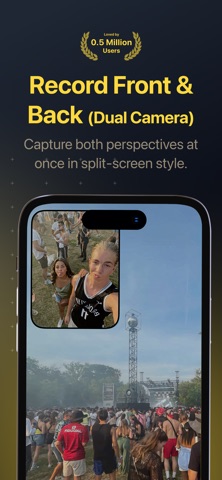
DuoShot – Dual Camera PiP Recorder & Live Stream DuoShot lets you record and live stream with both the front and back cameras at the same time in a clean Picture-in-Picture (PiP) layout. Drag, resize, and shape the PiP (circle, square, 9:16 portrait), swap primary cameras in a tap, and save crisp videos locally—no accounts, no tracking. CAPTURE BOTH SIDES - Dual-Camera Recording: shoot with front + back simultaneously. - PiP Controls: drag anywhere, pinch to resize, pick circle/square/portrait. - Swap & Zoom: one-tap swap primary vs PiP and adjust zoom independently. - Natural Feel: haptics, shutter flash, and familiar Camera-style UI. PRO-LEVEL OUTPUTS - Three Exports: save PiP composite + individual front + individual back videos. - Photos & Videos: capture photos or record full-HD (1080×1920) video. - Instant Preview: review takes in-app and quickly open in Photos. - YouTube Live (RTMP) — Pro: paste your stream key to go live in seconds. DESIGNED FOR PERFORMANCE - Reliable Pipeline: smooth multistream capture and high-quality encoding. - Optimized for iPhone & iPad: built for iOS 16+. - Privacy by Design: media and settings stay on your device. HOW IT WORKS 1) Open DuoShot and allow Camera & Microphone permissions. 2) Choose a PiP shape, place it, and select Photo, Video, or Live (Pro). 3) Tap Record (or paste an RTMP stream key to go live), then preview and save. WHY DUOSHOT? - Two angles, one take: perfect for vlogs, interviews, reactions, demos. - Simple & powerful: minimal UI with pro-style control where it counts. - Local-first: no accounts, no analytics—your media is yours. PRICING Free download. Upgrade to DuoShot Pro to unlock Live streaming (RTMP) and future Pro features: - Lifetime — $39.99 (one-time) - Yearly — $19.99/year - Weekly — $2.99/week Prices in USD; may vary by region. Payment is charged to your Apple ID. Subscriptions auto-renew unless canceled at least 24 hours before the current period ends. Manage or cancel in your App Store account settings. SUPPORT Privacy Policy: https://rodney-apps.com/duoshot/privacy-policy Terms of Use: https://rodney-apps.com/duoshot/terms-of-use Contact Support: https://rodney-apps.com/duoshot/contact Download DuoShot today and tell both sides of the story—live or recorded.


Quoc Phan
It's not another budgeting app. It's knowing exactly where every dollar goes, every day. Type "Coffee $4" and AI logs it with the right category. Snap a receipt and AI extracts every line. Ask "How much on food this month?" and get an instant answer in chat. Three seconds a day. Total clarity on your money. Switching from another app? Bring your history with you. Import CSV or Excel exports in minutes. EFFORTLESS LOGGING Logging an expense takes one short sentence. Type "Lunch $12 yesterday" and DaTrack picks the date, amount, and category. Snap a receipt and AI extracts every item. No forms. No dropdowns. No friction. ASK YOUR MONEY ANYTHING Ever wonder where your coffee budget went? Ask DaTrack. The AI Chat reads your spending and answers in plain English. "How much on food this month?" "What did I spend last weekend?" Get instant clarity without digging through spreadsheets. SEE THE FULL PICTURE A clean calendar shows every day's spending at a glance. Tap any day for the details. Switch to charts and watch your money flow across categories, weeks, and months. Patterns you never noticed become obvious. STAY ON TRACK AUTOMATICALLY Set a monthly budget once and watch your remaining balance live. Add recurring bills like rent or subscriptions and DaTrack logs them for you. A daily reminder keeps the habit going without nagging. PRIVATE BY DEFAULT No bank login. No account required. Your spending stays on your device, secured by iCloud. We never see your data. WHAT PRO UNLOCKS DaTrack is free to start. Manual logging, calendar view, daily reminders, and CSV export are always free. Pro adds the AI that makes everything effortless: • Import your history from CSV or Excel files • Log expenses in plain words with AI • Snap receipts and let AI extract them • Ask questions about your spending in chat • Advanced charts and statistics • Monthly budgets with category allocation • Recurring expenses and bills PRO SUBSCRIPTION • Yearly: best value, starts with a 7-day free trial • Monthly: no commitment, cancel anytime • Lifetime: one payment, Pro for good, no subscription Your exact price is shown above in your local currency. Payment will be charged to your Apple ID account at confirmation of purchase. Subscription automatically renews unless canceled at least 24 hours before the end of the current period. You can manage and cancel subscriptions in your Account Settings. Any unused portion of a free trial will be forfeited upon purchasing a subscription. Privacy Policy: https://quoc48.github.io/datrack-legal/privacy Terms of Use: https://quoc48.github.io/datrack-legal/terms


Bechir Kaddech
Bring your Fujifilm recipes and photos together on iPhone and iPad. Discover your next favorite look, send it to your camera, and make it your own in the Darkroom. MANAGE RECIPES OVER BLUETOOTH OR USB-C Read, edit, and install custom recipes on compatible Fujifilm cameras—with Bluetooth recipe transfer now available for supported models and firmware. Save camera recipes to your library, create your own looks, and install favourites directly from your library or the community. IMPORT YOUR WAY Browse and import photos from a connected camera, Files, or your photo library. Wireless import pairs a supported camera over Bluetooth, then transfers JPEG and RAW files over Wi-Fi. BRING YOUR RAW FILES TO LIFE Use your Fujifilm camera’s own image processor to render compatible RAW files with your recipes over USB-C. Explore different film simulation looks, then fine-tune your photos with light and color adjustments, cropping, and straightening. EDIT ANYWHERE Edit JPEG photos directly on your iPhone or iPad without connecting a camera. Sync edits across a batch, compare your changes, and export your photos with optional frames. DISCOVER AND SHARE RECIPES Explore film simulation recipes from the community, organize your favorites, and build your own collection. Share your recipes with up to five photos to show how each look works across different scenes. Terms of Use (EULA): https://fujirecipes.co/terms.html Privacy Policy: https://fujirecipes.co/privacy.html


Codeventures GmbH
Mileways – Your Smartest, Ad Free, Travel Companion “Don’t travel without Mileways” - trusted by thousands of travelers worldwide. Made for passengers first, with real-time flight alerts, beautiful design, and peace of mind built in. BE THE FIRST TO KNOW • Instant alerts for delays, gate changes, and cancellations • Beautiful, detailed flight information • See where your inbound plane is before it even reaches your airport • Live weather updates and forecasts at departure & destination • Homescreen & lockscreen widgets for at-a-glance updates FEATURES TRAVELERS LOVE • Beautiful, detailed flight information • Beautiful seatmaps: explore your aircraft before you board • Track your flights (and your friends’ flights) in one simple timeline • Stunning aircraft illustrations & 350+ airline logos • Personal flight log & statistics for frequent flyers • Airport greeting sign — stand out when meeting guests at arrivals FIRST CLASS UPGRADE (Premium) For frequent travelers who demand the best: • Real-time flight tracking, always up to date • Unlimited historical flights: your complete flight history in one place • Detailed aircraft data & time zone insights • Calendar sync: import flights with one tap • Weather forecasts tailored to your trip STAY CONNECTED EFFORTLESSLY No more endless text updates, Mileways automatically keeps your friends and family in the loop. You control who sees what, with easy privacy settings. SHARE ANYWHERE Your friends and family don’t need the app, with Web Sharing, they can follow your flight from any device. TRAVEL SMARTER, STRESS LESS Flights can be overwhelming: delays, gates, terminals, time zones… Mileways cuts through the chaos. One tap, and you have everything you need, fast, reliable, and beautifully designed. Download Mileways today and turn stressful travel into smooth travel. --- Learn more about Mileways at: https://www.mileways.com We are always available for feedback and questions at: [email protected] Terms of Service: https://www.mileways.com/pages/terms-and-conditions Privacy Policy: https://www.mileways.com/pages/privacy-policy


MLTM Group AB
Keep every vaccination record in one safe, organized place - for your children, family members, and even your pets. VaccineReady helps families track vaccinations, plan upcoming doses, prepare for trips, and keep important health records ready for doctor visits, school forms, childcare, travel, and everyday peace of mind. Whether you are a new parent managing your baby’s first vaccines, a busy family keeping several children on schedule, a pet owner tracking vet visits, or a traveler preparing for an upcoming trip, VaccineReady makes vaccination tracking simple. KEY FEATURES Family Vaccine Profiles Create separate profiles for each child, family member, or pet. Keep everyone’s vaccine history organized in one app without mixing up records. Vaccination Schedules Get access to the official CDC-recommended immunization schedule and follow clear vaccine timelines so you can see what is completed, upcoming, or still missing. Stay organized from baby vaccines through childhood, boosters, travel vaccines, and pet vaccinations. Smart Reminders Set reminders for upcoming vaccinations, booster doses, and appointments so important dates are easier to manage. Travel Vaccine Guidance Add upcoming trips and get helpful vaccination guidance based on your destination. See what you may need to review before traveling and keep your records ready when you need them. Digital Vaccine Records Log completed vaccinations with dates, vaccine names, doses, notes, providers, and photos of vaccine cards or certificates. Build a complete digital vaccine history that is always close at hand. PDF Export Create clean PDF reports to share with doctors, pediatricians, schools, childcare providers, travel clinics, or veterinarians. Visit Certificates Celebrate completed vaccinations and vet visits with beautiful certificates. A simple way to mark important health milestones for children and pets. Pet Vaccination Tracking Add your dog, cat, or other pets and keep track of rabies shots, annual boosters, vet visits, and vaccination certificates in the same organized place as your family records. Private by Design Your health records are personal. VaccineReady is built with privacy in mind, so you can keep sensitive family information organized and protected. Simple, Beautiful Interface No complicated spreadsheets, paper cards, or forgotten notes. VaccineReady gives you a clean timeline, clear records, and an easy way to see what comes next. PERFECT FOR • New parents tracking baby vaccinations • Families managing several children’s vaccine records • Parents preparing school or childcare vaccination documents • Travelers checking vaccines before a trip • Pet owners tracking vet visits and vaccine certificates • Anyone who wants a simple digital vaccination record WHY FAMILIES CHOOSE VACCINEREADY Vaccination records can quickly become scattered across paper cards, clinic notes, photos, school forms, and travel documents. VaccineReady brings everything together in one calm, organized app. Track what has been done. See what is coming next. Export records when you need them. Add trips for travel guidance. Include your pets. Celebrate completed visits with certificates. Download VaccineReady today and make vaccination tracking easier for the whole family. Terms of Use: https://vaccineready.app/terms


Firecore, LLC
Ignite your video content with Infuse – the beautiful way to watch almost any video format on your iPhone, iPad, Apple TV, Mac, and Vision. No need to convert files! Infuse is optimized for iOS 27, with powerful streaming options, Trakt sync, and unmatched AirPlay & subtitle support. Gorgeous interface. Precise controls. And silky-smooth playback. - PLAY MORE VIDEO TYPES A powerful video player that plays just about anything, including MP4, MKV, M4V and MOV – plus many others. Includes support for HDR, HDR10+, Dolby Vision, plus Dolby and DTS audio. - STREAM FROM OTHER DEVICES Browse and play videos stored on your Mac, PC, NAS, Wi-Fi hard drive, apps like Plex, Emby, and Jellyfin, or from cloud services like Dropbox, Google Drive, OneDrive, Box, pCloud, Yandex.Disk, MEGA, Aliyun Drive, and others – no syncing required! - AIRPLAY & GOOGLE CAST OPTIONS Stream a wide variety of videos types such as MKV, MP4, M4V, and others over AirPlay & Google Cast with full surround sound and subtitles. - TRAKT 2-WAY SYNC Connect with Trakt to sync watched history, submit ratings and post comments. - OPTIMIZED SUBTITLES POWERED BY OPENSUBTITLES Bring your own subtitles, or download them on the fly (for free) in virtually any language. ===== “Looks great, plays anything you throw at it...surprisingly powerful” - Lifehacker “The best media player for iPhone and iPad...superior to VLC.” - Cult of Mac “I can't give the UI high enough praise. It's great.” - 9to5Mac “I see no reason whatsoever to remove Infuse from my Home screen anytime soon.” - iDownloadBlog “A beautiful UI.” - Trakt co-founder “A mini Kodi!” - Infuse user ===== MORE THAN JUST A PRETTY FACE THE BASICS - Silky-smooth video player (plays full 4K w/ HDR & Dolby Vision) - Stream from a Mac, PC, NAS or Wi-Fi enabled hard drive - Connect with Plex, Emby, Jellyfin, Kodi (XBMC), WMC and other media servers - Beautiful layout with quick access to video info - Artwork and metadata added automatically - Split View & PIP - Spatial audio SUPPORTED FORMATS - Video: 33GP, AVI, AV1, ASF, BDMV, DIVX, DVDMEDIA, DVR-MS, FLV, H.264 (AVC), H.265 (HEVC), ISO/IMG, M4V, MKV, MOV, MP4, MPEG, MTS/M2TS, MXF, OGM, OGV, RMVB, TS, VC1, VIDEO_TS, VOB, VP9, WEBM, WMV, WTV - Audio: AAC, AC3/E-AC3, DOLBY TRUEHD, DTS, DTS-HD MA, FLAC, MP3, OGG, PCM, WMA - Subtitles: DVB, DVDSUB, MICRODVD, MPL2, PGS, SMI, SSA/ASS, SRT, SUB, SUP, TIMED TEXT, TXT, VOBSUB, VTT, XSUB PLAYER FEATURES - Multiple audio tracks - Chapters - Gesture controls - 8 video zoom options - Continuous playback - TV out via HDMI or VGA adapter - Deinterlacing EXTRAS - Folders - One-click subtitle downloads from OpenSubtitles - Scrobble plays to Trakt - Download videos from networked devices - Drag and drop uploads via web browser - Get extra onboard storage with SanDisk iXpand and other USB drives GET MORE WITH INFUSE PRO! - Play even more video formats - Stream video trailers for movies and TV shows - Enjoy high-resolution Dolby® and DTS® audio - Access videos stored in cloud services like Dropbox, Google Drive, Box, OneDrive, pCloud, Yandex.Disk, MEGA, Aliyun Drive, and more - Stream a wide variety of video types over AirPlay and Google Cast - Sync libraries, settings, watched history, and playback progress between devices ==== Note: DRM-protected movies & TV shows purchased from the iTunes store are not supported. Metadata and artwork provided by TMDB, which is a community maintained movie and TV show database. ==== Infuse Pro is available as a optional subscription, and includes a free trial period that begins once your purchase has been confirmed with your iTunes Account. When the trial period concludes, your subscription will start and renew automatically. Your iTunes Account will be charged for the upcoming period unless you disable auto-renew or cancel your subscription in your Account Settings at least 24-hours prior to the end of the current period. Visit firecore.com/terms-privacy for full terms and privacy policy.


One Hundred Bad Ideas Limited
Understand your stress. Build better habits. Lower your Bio Age. StressWatch turns your Apple Watch into a powerful stress monitor. Powered by HRV and your health data, it helps you manage stress, sleep better, move smarter, and turn small daily actions into lasting habits that improve your Bio Age over time. StressWatch has been featured on the Apple App Store in 171 countries and regions — # Best of August # The Best Apps for iOS 18 # Better Understand Your Wellbeing # Essential Watch Apps # Featured New App # Our Favorite of This Week StressWatch relies on your RHR (Resting Heart Rate) and HRV (Heart Rate Variability) data retrieved from Apple Health. We'll analyze and interpret the data to determine your current stress levels. We constantly monitor your status and remind your immediately if your stress levels get too high so you can take action right away to help reduce your stress levels. #How can StressWatch help you? - When you work late into the night, StressWatch can remind you that your HRV is low and you're stressed - a gentle reminder to help you understand that it's time to get some rest. - When you're at a social event and you have to force yourself to smile, we'll remind you that your HRV is low and you're stressed - a gentle reminder to get some fresh air and recharge. - When you've had just a bit too much to drink, we'll remind you that your HRV is low and you're stressed (because alcohol is a stresssor) - a gentle reminder to let up a bit on the cup, drink some water, and take care of your body. - You can constantly monitor your HRV levels (and stress levels) from your Apple Watch by adding StressWatch to your Watch Face. - Paired with proper exercise and adequate rest, monitor and analyze your weekly and monthly stress levels over prolonged periods of time; you'll realize that you're getting better as time goes on. #Design Concept We created StressWatch with the sole intention to help people to reduce anxiety in this age of stress and pressure. However, data and numbers do not have any meaning if the user is unable to interpret the data. (Not everyone is a rocket scientist!) So it got us thinking: how can we design a app that delivers numbers and data in a friendly manner that will help users to reduce stress and anxiety. Thus, we created the "Mr.Fizz", which is the foundation of our product design. The "Mr.Fizz" will change colors as the user's stress levels rise. #Contact us Email: [email protected] Subscription prices and terms StressWatch can be downloaded for free. If you choose to upgrade to the StressWatch Pro version, you can unlock all paid features. We offer two different purchase options: monthly, and annual auto-renewal. For monthly or annual subscriptions: Once confirmed and paid, it will automatically renew through your Apple iTunes account. After successful payment, the subscription period will be extended. To cancel, please manually turn off the auto-renewal feature in iTunes/Apple ID settings management at least 24 hours before the end of the current subscription period. During the trial period, if you do not cancel the subscription, it will automatically activate and charge at the end of the trial period. This service is at your discretion to cancel; if you choose not to cancel, the renewal service for the next billing cycle will be activated for you. Health advice disclaimer All information provided by StressWatch cannot be considered medical advice or diagnosis, and should not replace professional diagnosis and treatment. If you feel excessive stress that cannot be adjusted, and before making any medical decisions, please seek professional medical help in a timely manner. User Agreement: https://docs.ideation.love/stresswatch/en/service/terms-of-use.html Privacy Policy: https://docs.ideation.love/stresswatch/en/service/privacy-policy.html


Readdle Technologies Limited
Documents by Readdle is your file manager, document viewer, PDF editor, and archive extractor for iPhone and iPad. Browse and organize your files, extract ZIP and RAR archives, edit and sign PDFs, and convert or compress anything — all from one app. FILE MANAGER - Browse, organize, and manage local files and folders in one fast file browser, rename and color-tag them for quick access - Import files from your computer, download files directly from the web browser, or work with iCloud, Dropbox, Google Drive, and other cloud drives without downloading them ZIP & RAR ARCHIVE EXTRACTOR - Unzip and extract ZIP and RAR archives directly on your iPhone or iPad - Create new ZIP archives to compress and share multiple files at once - Compress large files and folders to save storage space PDF EDITOR, VIEWER & CONVERTER - View and read PDFs, books, and scanned documents with a fast built-in viewer - Edit or modify existing text directly inside a PDF - Highlight, add notes, and place stickers on PDFs and books - Merge multiple PDFs into one, or split, rotate, and reorder pages - Convert PDF to Word, JPG, PNG, HEIC, and other formats SIGN DOCUMENTS - Add your signature to PDF contracts and forms in seconds - Fill out forms and place text, checkmarks, and initials anywhere on a document - Store signed contracts securely and access them from any device FILE CONVERTER & COMPRESSOR - Convert between PDF, DOCX, JPG, JPEG, PNG, HEIC, WEBP, and more in a few taps - Compress PDFs, photos, and files to reduce size for email or upload limits - Create PDFs from photos, scans, or documents, and convert them back to editable formats SCANNER - Scan receipts, books, and documents with a built-in OCR document scanner - Save scans as searchable PDFs directly in Documents or your cloud drive ALSO INSIDE - Transcribe audio and video to text, then edit or export the transcript - Use Smart Eraser to remove unwanted objects from photos - Play music and video, and transfer files to your Mac or PC over Wi-Fi Documents is an App Store Editors' Choice winner. Read more about our terms and conditions here: https://documents.io/legal/privacy https://documents.io/legal/terms


Voodoo
Join millions of players in the world's most satisfying .io game! Move around the arena, draw a trail to grow your territory, and claim the zone before someone cuts you off. Simple rules, endless fun! Fair warning: this game is seriously hard to put down! What makes Paper.io 2 so fun: ∙ Smooth, satisfying arcade gameplay that just feels right ∙ Online multiplayer you can jump into in seconds ∙ 100+ unique skins to collect ∙ Free rewards every day ∙ Quick matches that fit into any break ∙ A secret surprise if you manage to capture the entire map


ASAP Visuals, Inc.
Create stunning photos and videos effortlessly with Edith! Get the aesthetic content you crave, all in one powerful app. We're excited to be your partner in creating content that stands out. Edith gives you the latest on-trend editing tools right at your fingertips. Why You'll Love It: • 300+ Aesthetic Presets: Achieve film, moody, bright, retro, and vintage vibes with ease. Export and use them anywhere! • Unique Textures & Overlays: Add depth and visual interest to make your content pop. • Borders: Give your photos an aesthetic touch with a variety of border options. • Stylish Typography: Elevate your stories and edits with a curated collection of aesthetic fonts and designer text presets. • Batch Editing: Edit up to 10 photos at once with the same settings. • Pro Adjustments: Tweak your photos with professional tools like Dim and Grain for a moody film look. Follow us on Instagram and TikTok: @get.edith Use the hashtag #editwithedith to be featured Ready to create amazing content? Download Edith now! Terms of Use: https://nappslab.com/pb-terms-of-use.html Privacy Policy: https://nappslab.com/pb-privacy-policy.html EULA: https://www.apple.com/legal/internet-services/itunes/dev/stdeula/
The Grizzly Labs
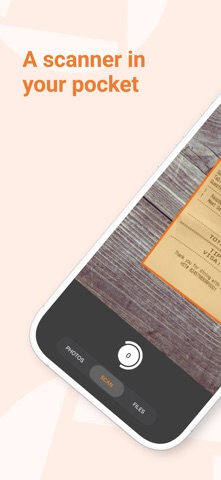
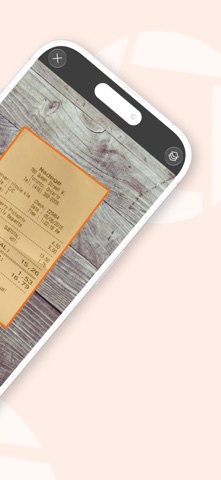
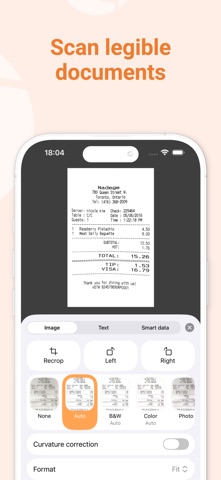
Genius Scan is a document scanner app in your pocket. Quickly scan your paper documents on the go and export them as multi-page PDF files. *** Apple App of the Week *** 20+ million users *** 1000s of small businesses *** Place any document in front of your device’s camera: our scanner app automatically recognizes the paper against the background, crops it, and cleans up the result. You obtain a crisp, legible scan. Batch scanning lets you scan dozens of pages in a matter of seconds. Powerful tools help you organize, share, or archive your documents. “Next time you plan to hit the road, don’t forget to download Genius Scan to make life easier for yourself and your accounting department.” - AppPicker.com “Camera apps aren’t designed for close-up text scanning, but Genius Scan is.” - The Guardian == KEY FEATURES == Smart Scanning: - Document detection & background removal - Distortion correction - Shadow removal and defect cleanup - Filters (black & white, whiteboard, photo) - Batch scanning PDF Creation & Editing: - Document merging & splitting - Multiple page PDF creation - Photos and PDF import Security & Privacy: - On-device document processing + Face ID locking + PDF password encryption Document Organization: - Document tagging - Metadata and content search + Smart document renaming (custom templates, …) + Backup and multi-device sync with Genius Cloud (separate subscription) Export: - Email + Box, Dropbox, Evernote, Expensify, Google Drive, iCloud Drive, OneDrive, OneNote, FTP, SugarSync, WebDAV. + Any WebDAV compatible service such as Citrix ShareFile, NextCloud, ownCloud, Synology, Yandex. + Automatic background auto-export OCR (Text Recognition): + Text extraction + Searchable PDF creation + Business card scanning & contact creation The features denoted with [+] are available as part of a premium plan. == ABOUT US == It’s in the heart of Paris, France that The Grizzly Labs develops Genius Scan. We take pride in crafting apps that help millions of users throughout the world and hold ourselves to the highest standards in terms of quality and privacy. Get in touch with us @thegrizzlylabs if you have any questions. == PRICING & LEGAL == Genius Scan is free to use for as long as you want. Should you choose to, you can subscribe to the Genius Scan Plus plan for more features. You can subscribe to Genius Cloud for backup & synchronization. In that case, Genius Scan’s store displays the duration and price of each subscription, updated at the time of purchase. Payment will be charged to iTunes account when the order is confirmed. Subscriptions automatically renew unless auto-renew is turned off no later than 24 hours before the end of the current period. Manage subscriptions, disable auto-renewal in the iTunes account settings. Download the best free mobile scanner and scan your documents in a snap. https://www.thegrizzlylabs.com/genius-scan/cloud/terms


PIXO Incorporation
Spoke: Shift Day Work Calendar Tracking your shifts has never been easier! With Spoke, you can see at a glance when you’re working. Suitable for your iPhone and/or iPad, the clear, easily readable calendar allows you to track your working days and hours with minimal effort – you can add or remove a shift with a single tap. Designed with shift workers in mind, Spoke enables you to see a full month of shifts on the screen, making it easier than ever to manage your working life. Key features: - Color-code your shifts and assign short-names for at-a-glance insights - Intuitive rota interface for quick rotation application - Add multiple memos for quick reminders of each day’s events - Shift widget enables you to see upcoming shifts without even opening the app - Share your schedule easily with friends and family - Sync with iCloud for real-time updates across your iPad and iPhone Additional benefits: - See up to two shifts per day. - Add unlimited shifts to your calendar. - Change your shift schedule just by tapping on the calendar. - Copy and paste shifts for rapid diary updates. - Add your rotation and automatically fill the calendar in a few simple steps. - Get push notifications for shift events. - Week number with four different patterns (1-2, 2-1, 1-52, 0-51). - Set the start day of your week to any day. - Email your shift events. - Share your monthly shift view (via email/SMS/print/photo album) The intuitive shift managing interface makes Spoke suitable for anyone who wants to take the pain out of their diary management. The app is perfect for those working random hours and days, as well as individuals working fixed shifts on rotation. People already benefitting from Shift Days include: - Nurses - Doctors - Emergency workers - Police- Firefighters - Military- Paramedics - Security Guards - Cleaners - Bartenders - Reporters - Students and part timers - Taxi or Uber drivers - Waiters and waitresses - Truckers - Construction workers - Men of the Night’s Watch --- -SUBSCRIPTION PRICING & TERMS Spoke is free to download. Spoke Subscription gives you unlimited access to our premium content and features. - Spoke's auto-renewing subscription options are $2.99 monthly or $24.99 annually - This price is for United States customers. Pricing in other countries may vary, and actual charges may be converted to your local currency depending on the country of residence. - Payment will be charged to your iTunes Account at confirmation of your subscription - Subscription automatically renews unless auto-renew is turned off at least 24-hours before the end of the current period - The account will be charged for renewal within 24-hours prior to the end of the current period, and at the cost of the chosen package - Any unused portion of a free trial period, if offered, will be forfeited when the user purchases a subscription to that publication, where applicable. - Your subscription automatically renews unless you turn if off in Account Settings 24+ hours before the end of the billing period. - You can turn off auto-renew at any time from your iTunes account settings, but refunds will not be provided for any unused portion of the term. [ Privacy Policy ]https://www.iubenda.com/privacy-policy/77398254 [ Terms of Service ]https://www.iubenda.com/terms-and-conditions/77398254 [ Support ]Contact at '[email protected]'


Cartasec Pte. Ltd.
One inbox for Gmail, Outlook & iCloud. AI Copilot drafts, replies, and summarizes. Read receipts + email tracking built in. ▶ WRITE EMAILS WITH AI ◀ [ INTELLIGENT AI EMAIL WRITING ] • Let Canary’s AI Copilot write and proofread your emails for clarity and professionalism. [ AI COPILOT ] • Get AI-generated email suggestions, automated replies, AI summaries, and priority inbox insights. [ EMAIL TEMPLATES ] • Save and reuse your favorite email drafts with one tap. ▶ STREAMLINED INBOX CONTROL ◀ [ ALL YOUR ACCOUNTS, ONE INBOX ] • Easily connect your Gmail, iCloud, Outlook, Exchange, Office365, Yahoo, and more into one simple inbox. [ SMART EMAIL SORTING ] • Automatically highlight important emails and filter out spam and junk mail. [ BULK EMAIL CLEANER ] • Clean your inbox by archiving or deleting unwanted emails in seconds. [ INTUITIVE DASHBOARD ] • Control your inbox with pinned emails, favorites, snooze, and an intuitive dashboard. ▶ CUSTOMIZATION & PRODUCTIVITY ◀ [ EMAIL SCHEDULING ] • Schedule emails to send later or set delays to cancel them. [ READ RECEIPTS ] • Get instant notifications when your emails are read with Canary’s email tracker. [ PERSONALIZATION OPTIONS ] • Customize with unique signatures, swipe actions, dark mode, and thread organization. [ DEVICE SYNC ] • Sync your inbox across all devices for a seamless experience. • Read synced emails and draft replies offline - everything updates automatically when you’re back online. • Your mailbox securely rebuilds when you sign in on a new device. ▶ ORGANIZATIONAL TOOLS ◀ [ MAILBOX NAVIGATION DRAWER ] • Automatically organize your emails by categories—All, Primary, Promotions, Updates, and Forums. [ RULES & FILTERS ] • Gain greater control over your inbox with email filters and rules. [ 1-CLICK UNSUBSCRIBE ] • Block spam email senders and silence newsletters in just one tap. [ CALENDAR INTEGRATION ] • Manage your time better with an integrated calendar. ▶ SECURE COMMUNICATION ◀ [ ENCRYPTION & DATA SECURITY ] • Protect your emails with SecureSend and PGP encryption. [ THREAT PROTECTION ] • Guard against impersonation, phishing, and misdirection. [ ALERT SETTINGS ] • Choose push notifications for real-time updates or secure on-device fetch. ▶ PREMIUM ADVANTAGES ◀ [ GROWTH PLAN ] • The Growth Plan enhances productivity with AI-powered email writing, read receipts, inbox cleaning, and advanced customization. [ PRO+ PLAN ] • The Pro+ Plan includes all Growth features plus PGP encryption, phishing protection, impersonation detection, and priority support for professionals and larger teams. Upgrade your email experience with Canary Mail, the AI-powered app that enhances security, boosts productivity, and keeps your inbox organized. • Terms of Use: https://www.apple.com/legal/internet-services/itunes/dev/stdeula/ • Privacy Policy: https://canarymail.io/privacy.html


Overdesigned, LLC
Cheatsheet is for the little things you never remember: hotel rooms, license plates, luggage combination, ID numbers. Write them down in Cheatsheet and then refer to them anytime in a Widget or paste them anywhere with the Custom Keyboard. No more fumbling to unlock your phone and find your notes app; Cheatsheet is as easy as looking at your lock screen, pulling up the keyboard, or glancing at your Apple Watch. App Features: • Simple UI for adding and managing your cheats. • Over 450 icons to help you recognize what you’re looking for. • Quickly copy a cheat by tapping-and-holding on a row. • Search for your cheats, both in the app and in Spotlight. • Use Shortcuts or Siri to “add notes to Cheatsheet” or “find notes in Cheatsheet”. • Organize your cheats with folders and titles. • Format your notes with bold, italics, lists, links, and more. • Protect your cheats with Passcode Lock (Pro feature). • Sync between all your iOS devices via iCloud (Pro feature). Widgets: • Multiple sizes, styles, and colors. • Tap a cheat to open it. Tap the “+” button to add a cheat in the app. • Cheatsheet also has a “Today widget” with options to copy or delete cheats. Apple Watch: • Add, edit, and delete cheats right from your wrist. • Complications show your top cheat (or several cheats) right on your watch face. • Syncs to your iPhone via iCloud (Pro feature). Keyboard Extension: • Shows up to 50 cheats, which you can insert anywhere you can use a custom keyboard. • Includes space, delete, and return keys to help with simple edits. Advanced Features: • Automate your workflows with Shortcuts. • Action extension: send text or URLs to Cheatsheet from any app via the share sheet. • Customize the Cheatsheet widget’s appearance and behavior to suit your needs. • Add or open notes from Control Center (iOS 18 required). • URL scheme for adding a cheat: cheatsheet://add?text=everything%20is%20awesome. Cheatsheet Pro: • Remove limits on the widget, keyboard, and Watch app. • Protect your cheats with Passcode Lock. • Organize your cheats with folders. • Sync your cheats between your devices with iCloud. • Cheatsheet Pro is a simple, annual subscription; there is a one-time purchase option for customers who want to avoid subscriptions. Cheatsheet for Mac is sold separately. • Purchases help support the ongoing development of Cheatsheet — this app is beloved by its users and has over 10 years of active development by a single indie developer, so your support is truly appreciated! Terms of Use: https://www.apple.com/legal/internet-services/itunes/dev/stdeula/


XLABS DIJITAL HIZMETLER ANONIM SIRKETI
LENS AI – AI Scanner & Identifier - IDENTIFY EVERYTHING! Identify anything fast with AI! Scan and recognize Dog Breeds, Cats, Coins, Stones, Rocks, Plants, and Flowers with LENS AI. AI Scanner for Everything! Try LENS AI to quickly scan and identify objects around you. Just take a picture or show it to your camera, and let Lens AI do it for you. Animal & Pet Identifier Identify animals, pets like cats, dogs, dog breeds. If it’s a dog, cat, or any other pet, LENS AI helps you recognize breeds accurately. Want to learn more about your pets breed, history, or characteristics? LENS AI gives you fast details. Scan animals or unknown pets and get valuable insights with Lens AI Scanner & Identifier. Dog & Cat Breed Identifier Not sure what breed your pet is? LENS AI identify your Dog or Cat breeds accurately. Discover facts about your pet’s breed and characteristics with Lens AI. Great for pet lovers identify and learn about different dog and cat breeds. LENS AI helps shelters, pet owners, and animal lovers quickly recognize and understand different pet breeds. Coin & Stone Scanner Find out the history and value of coins. Scan stones and rocks to discover their type. Easy Scan & identify rare and valuable coins with Lens AI recognition. Explore different types of stones and rocks with fast AI scan. Plant & Flower Identifier Identify plants and flowers. Get fast details with Lens AI recognition. Learn plant names, care advice, and growing conditions with a simple scan and identification. Perfect for nature lovers, scan flowers and plants wherever you are! Fast & High Accuracy AI Recognition LENS AI provides real time results with its AI Scan & Identify tech. As easy as scan and get precise identification in seconds, get results. A powerful AI app for researchers, students, nature lovers, pet lovers, and everyday users who want to learn more and curious about. How It Works: 1. Open LENS AI and point your camera or just take a simple image. 2. Scan any object – Dog, Cat, Coin, Stone, Rock, Plant, or Flower. 3. Get fast and easy AI Lens Scan identification. Download LENS AI Now! Use the best AI scanner & Identifier for fast and high accuracy identification. We love your feedback! Send questions or suggestions to [email protected] Terms of Use: https://www.xlabs.com.tr/terms Privacy Policy: https://www.xlabs.com.tr/privacy Refund Policy: https://www.xlabs.com.tr/refund


MD Studio
OffScreen helps you track phone usage and keeps you stay focused. With OffScreen, you can: - Track screen time • Set up your screen time goal, and get daily insight. • See screen time activities: Pickups, Average Usage, While Walking, Stationary Life, Last Pickup, First Pickup, Best Break, and Sleep Time • Read sleep data from the Health app • Show data on your favorite watch face - OFF Time • Set disable time for social apps and enjoy OFF time - Focus Mode • Supports three modes: Pomodoro, countdown, and time accumulation • Support lock screen and flip screen focus • Supports live activity and StandBy • If you need to use your phone to look up a dictionary or use other applications during the concentration process, you can set a concentration app whitelist • Categories your focus sessions by tag • Pause at any time when you need the phone to help you study or search while you're in focus mode • Focus on the watch - Visualize and share your data. • View data in week/month/year view. • Well-designed share card is ready for you. - Breaking digital detox challenges • Screen time challenge • Pick up challenge • Sleep challenge - Sync sleep time and focus mindfulness time on Apple HealthKit. --------- To collect the walking time data, this app tracks your location in the background and can affect battery life. * Subscription payments will be charged to your iTunes account at confirmation of your purchase. * Subscriptions will automatically renew and payment will be charged to your iTunes account unless auto-renew is turned off at least 24 hours prior to the end of the current Privacy Policy: https://miidii.super.site/miidii-tech/privacy-policy Terms Of Use: https://miidii.super.site/miidii-tech/terms-of-use


Appest Limited
TickTick is a powerful to-do list and task management app with seamless cloud sync across all your devices. Whether you need to plan your schedule, take notes, share shopping lists, collaborate with your team, build new habits, or set countdowns for birthdays, TickTick helps you get things done and keep life on track. Key features of TickTick: - Sync tasks across all devices - Multiple reminders - Flexible calendar views - Calendar integrations - Flexible recurring tasks - Create checklists - Four priority levels - Share task lists for collaboration - Add tasks via email - Upload attachments to tasks - Organize tasks with tags - Track birthdays and anniversaries with countdowns - Plan and organize tasks with the AI Assistant More functions to help you stay focused and boost productivity: - Use Siri to create tasks more quickly and easily - Use the Pomo Timer to stay focused - Set goals to build habits - Add tasks by voice with AI - TickTick MCP - Reminders based on time or location - Sort tasks by order, date, title, or priority - Add descriptions/comments to tasks - Batch edit tasks - Quickly search for tasks TickTick is always free, but you can also upgrade to a Premium account to enjoy full access to the most advanced features: - More lists and tasks: 299 lists, 999 tasks in each list, 199 checklist items in each task - Add up to 5 reminders to each task - Share a task list with up to 29 members for better collaboration - Upload up to 199 attachments every day - Subscribe to calendars in TickTick - Full access to calendar views - Custom Smart Lists - Track up to 299 habits - Create up to 299 countdowns How does TickTick help you be more productive? - Get things done - Stay on top of your schedule - Collaborate more efficiently - Sync across multiple platforms - Save time and energy for what matters most Premium subscription billing: Payment will be charged to your Apple Account when your purchase is confirmed. Your subscription renews automatically unless you turn off automatic renewal at least 24 hours before the end of the current subscription period. You can manage or cancel your subscription in your Apple Account settings. If you already have Premium through another platform, we recommend waiting until your current Premium access expires before starting a new subscription. Turn off automatic renewal on your existing subscription if needed. TickTick integrates with HealthKit, allowing you to sync your focus time data with Apple Health. Our Privacy Policy: https://www.ticktick.com/about/privacy Our Terms of Use: https://www.ticktick.com/about/tos For questions, feedback, or tips, we're happy to help you at [email protected] Connect with us: X (Twitter): @ticktickteam Instagram: @ticktickapp Facebook: @TickTickApp Reddit: r/ticktick


Bearable Ltd
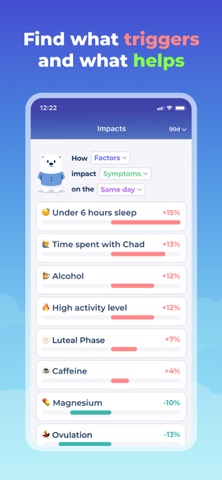
Feeling overwhelmed by your health? Bearable is the symptom tracker that helps you work out what makes your symptoms, pain, migraine and mental health better or worse, so you can feel more in control. Join over 2M patients & doctors using Bearable to manage symptoms, pain, migraine, mood, medication and mental health. FIND YOUR TRIGGERS Most people arrive with one question: what is making my symptoms worse? Log how you feel in a few taps a day, and Bearable shows the correlations between your symptoms and your sleep, food, weather, stress, medication and habits, so you know which triggers to avoid. NOT SURE WHERE TO START? No diagnosis or plan needed. Rate how you feel, add a symptom or two, and Bearable suggests what to log next as your symptom diary grows. PAIN, MIGRAINE AND HEADACHE TRACKER Record pain levels, where the pain is and how long it lasts. Log migraine frequency and severity, spot the warning signs before a migraine attack, see which migraine treatments help, and learn which triggers reliably set off your headaches. The pain tracker is used every day by people managing chronic pain, migraine, arthritis, fibromyalgia, endometriosis, joint pain and back pain. MENTAL HEALTH AND MOOD TRACKER See whether your mental health is changing over time, not just how today feels. Log mood, energy, stress, sleep and anxiety alongside what is going on in your life, and see how work, exercise, social plans and the weather shape your mental health. The mental health tracker is used by people living with anxiety, depression, bipolar disorder, ADHD and OCD, and by anyone wanting a clearer picture of their mental health. CHRONIC ILLNESS, FATIGUE AND FLARE-UPS Log flare-ups, pain, crashes and good days to see what leads to each. Work out which activities drain you or give you energy, and give your doctor a clear record of how your chronic illness has changed. Built with people living with PoTS, EDS, fibromyalgia, ME/CFS and long covid. GUT, HORMONES AND CYCLE Log digestive symptoms, food and bathroom habits to find out which foods are behind your IBS or GERD flare-ups. See how your symptoms, pain, migraine and mood change across each phase of your cycle, useful for PCOS, PMDD, endometriosis and menstrual migraine. MEDICATION AND TREATMENTS Log medication, supplements and treatments, then see whether they are working for your pain, migraine or mental health and whether they cause side effects. The medication tracker also sets reminders so you never miss a dose or a diary entry. EVERYTHING IN ONE PLACE Symptoms, pain, migraine, mood, medication, exercise and diet in one health tracker, so you can find useful patterns instead of switching between apps. - Fully customisable: record exactly what matters to you - Insights that show what correlates with your symptoms - Reports that turn months of symptom, pain and mental health logs into actionable insights - Sync steps, sleep and heart rate from Apple Health and Fitbit - Reminders, secure export, restore across devices, dark mode PRIVATE AND SECURE Your health data is encrypted. Export or delete it from within the app at any time. We will never sell your data. MADE BY PEOPLE WHO UNDERSTAND Created by people who live with health issues themselves, shaped by thousands of members of the chronic illness community. Our aim is to make symptom tracking simple, even on days when fatigue, pain, migraine or brain fog make everything harder. WAYS PEOPLE USE BEARABLE Symptom tracker & health diary Migraine & headache tracker Chronic Pain tracker Mental health & mood tracker Chronic illness & flare diary IBS & IBD symptom tracker PCOS, PMDD & cycle tracker PoTS & EDS tracker Medication tracker & reminders GET IN TOUCH Questions or feedback [email protected] Website https://bearable.app Terms https://bearable.app/terms-and-conditions Privacy https://bearable.app/privacy-policy Insights from Bearable are not medical advice. Always consult your doctor before making medical decisions.
MyScript
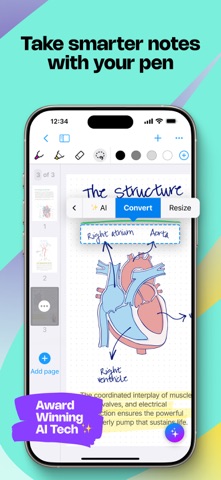
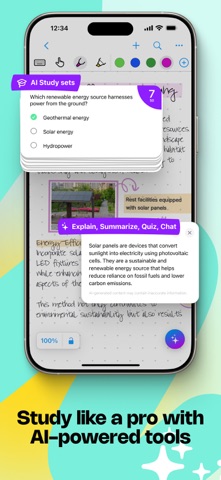
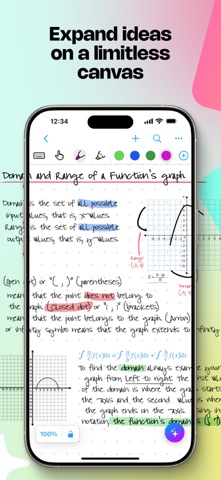
Create stunning notes and professional documents effortlessly by hand, brainstorm ideas on an infinite canvas, and annotate PDFs seamlessly. Powered by the world's leading AI handwriting recognition technology, MyScript Notes offers a dynamic platform where handwriting, text, drawings, diagrams, and images seamlessly coexist on an expandable canvas. Enhance your note-taking experience with intuitive pen gestures, effortlessly converting handwriting and shapes into typed text and precise forms. MyScript Notes understands every word you write in your choice of 66 languages, and works on mobile platforms — so you can access and search your notes from any compatible device. Enjoy 4 powerful experiences in one app: • Create unlimited notebooks and fixed-size pages for your daily notes. • Take freeform notes on boards — the world's most advanced endless canvas. • Handwrite responsive documents, adding math calculations and diagrams. • Import existing files as PDFs, ready to annotate. Start with a 7-day free trial to get the full experience — then choose to upgrade to keep all features, or continue with a free limited version. ———————— DIGITAL HANDWRITING • Write¹, type or dictate in the same page, sentence or even word. • Accurately convert handwriting and math to typed text, and drawn diagrams to perfect shapes. Diagrams stay editable when pasted into PowerPoint! • Write emoji and symbols with your pen. • Highlight ideas live with a glowing laser pointer — no marks left behind. • Draw straight lines with the ruler — drag, rotate and snap it into place to draw at any angle. EDIT WITH YOUR PEN • Use intuitive gestures to edit and format content without breaking your flow. • Use the marker to highlight or color, the lasso to select, and the eraser to delete entire strokes or precisely defined content. WRITE, TYPE AND DRAW FREELY ON A BOARD • Enjoy an infinite canvas, ideal for brainstorming, mind mapping and freeform note-taking. • Pan around and zoom in or out for a fresh perspective. • Use the lasso to select, move, copy, delete or resize content — and to convert handwriting to typed text. SWITCH TO A DOCUMENT FOR A RESPONSIVE EXPERIENCE • Create and edit structured notes — your handwriting will automatically reflow as needed. • Make edits, adjust layout, rotate your device or split your screen without worrying about readability. ENRICH YOUR NOTES • Personalize content using a range of pen types and page backgrounds. • Add photos, sketches and smart objects like math and diagrams. • Handwrite math equations and matrices across several lines, solve simple calculations and copy math as LaTeX or image. ———————— MyScript Notes respects your privacy and never stores content on our servers without your explicit consent. For help or feature requests, create a ticket at https://myscri.pt/support Check out MyScript Notes' webpage for more information about cross-platform: https://www.myscript.com/notes ———————— ¹You can use any compatible active or passive pen, including Apple Pencil, to write in MyScript Notes. Check minimum and recommended requirements for MyScript Notes: https://myscri.pt/notes-devices


Readdle Technologies Limited
Scanner Pro is a professional document scanner that turns your iPhone or iPad into a portable scan-to-PDF tool. Scan agreements, receipts, IDs, books, and more — Scanner Pro automatically detects borders, corrects perspective, and removes shadows to produce clean, ready-to-share PDFs in seconds. DOCUMENT SCANNER - Scan documents, receipts, pictures, IDs, books, and photos with automatic edge detection and perspective correction - Digitize and restore old photos in color, black & white, or grayscale - Highlight, write, and draw directly on your scanned documents CONVERT & EXPORT - Convert any scan into a searchable PDF in seconds - Export scans as PDF, Word, PowerPoint, or JPG - Merge multiple pages into a single PDF document - Add a password to protect sensitive PDFs, or remove one when no longer needed SIGN DOCUMENTS - Add your signature to any scanned document or PDF in seconds - Fill out forms and place text, checkmarks, and initials anywhere on a document - Send signed documents directly by email or to any app OCR & FULL-TEXT SEARCH - Turn scanned text into editable text with built-in OCR - Search across the text inside your scans instantly - Highlight important sections and copy text directly from your scans QR CODE SCANNER - Scan and decode QR codes instantly from the camera screen — point, capture, done SHARE & SYNC - Access every scan on all your devices with iCloud sync - Automatically export and upload scans to Dropbox, Evernote, Google Drive, Box, iCloud Drive, OneDrive, OneNote, or any WebDAV-enabled storage - Share unlimited scans by email or with any app, completely free - Translate scanned text into other languages You can also fax documents directly from your device. Scanner Pro supports 25+ languages, including English, French, German, Italian, Spanish, Portuguese, Dutch, Russian, Ukrainian, Turkish, Japanese, and Simplified and Traditional Chinese. Download Scanner Pro today for a fast, professional way to scan, organize, and share documents wherever you are. Share your feedback and comments at http://readdle.com/contact Privacy Policy: https://readdle.com/scannerpro/legal/privacy Terms of Service: https://readdle.com/scannerpro/legal/terms


Mobibean, LLC
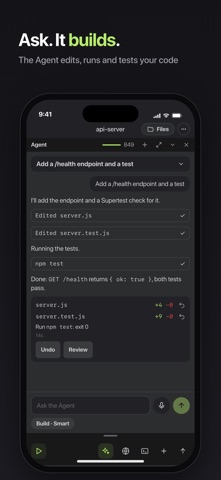
A real IDE on your phone and tablet, with an AI Agent that works inside your own Cloud Container. Ask the Agent for a change. It edits, runs and tests. You review every step and Undo any Task. Write, run and debug in 18 languages, in a Linux terminal that installs anything. Start from a Template or an example, keep your Projects on every device. AI AGENT Describe the task. The Agent edits your files, runs the code and fixes what breaks, inside your Cloud Container, where you see every file and every command. Build does the work. Plan writes the steps first. Teach me coaches you while you write the code yourself. Hold the mic and say the task. Get a notification when a Task is done or needs you. Generate a whole Project from one description. PLAN FIRST, UNDO ANY TASK Read the plan before the Agent touches a file. Every Task is one Undo away. CODE EDITOR AND RUN Open a file, press Run, read the console. The compiler or interpreter for your language is already installed. Autocompletion and linting come from real language servers. A REAL LINUX TERMINAL Ubuntu with apt, npm, pip and whatever else you install. It stays installed in your Cloud Container. PROJECTS AND TEMPLATES 50+ Templates: React, Vue, Svelte, Next.js, Express, Django, Laravel, Ionic, React Native, Blazor, and a plain starter for every language. PREVIEW Run a web Project and open it in the in-app Browser, with Pro. GIT Clone, commit, push and pull, with Pro. LEARN BY EXAMPLE 1,600+ runnable examples, 1,000+ of them free. Open one, run it, change it, or ask the Agent to teach you. ON EVERY DEVICE A hardware keyboard with VS Code, IntelliJ and Xcode Keymaps. A tablet layout with panels you arrange. Your Projects live in one Cloud Container, so you pick up where you left off on a phone, a tablet or in a web browser. 18 LANGUAGES Java, Python, C, C++, C#, Dart, JavaScript, TypeScript, PHP, Shell, Swift, Ruby, Go, Kotlin, Lua, Haskell, Rust, Scala. FREE, PRO AND CREDITS Free: the code editor, Run, the Linux terminal with package installs, 1,000+ examples, the free Templates, the Agent on the Standard model with 100 Starter credits, and Generate with AI Agent. Pro: a Cloud Container with up to 4 vCPU, 4 GB RAM and 8 GB disk (4× the free one), Docker, GUI apps over VNC, the in-app Browser, Git, SFTP upload, keyboard toolbar customization, two more editor themes, every example and every Template, 500 credits a month and the Smart model. Credits: Agent Tasks spend credits. Every account gets 100 Starter credits once, Pro adds 500 a month, and credit Packs are sold in the app. Bring your own API key and Tasks on it spend no credits. Terms of Service: https://www.codesnack-ide.com/terms-of-services Privacy Policy: https://www.codesnack-ide.com/privacy-policy Discord: https://discord.gg/FKmzpuqUnZ
49 more apps available