
Books
Browse book, manga, comic, PDF, ebook, and reading IPA listings from indexed iOS app repositories.
Apps
17 of 17 apps shown


MWM
Tired of the same old coloring book pages? Turn any idea or photo into a unique design with our AI art generator. Your personal coloring app for endless creativity and stress relief. Color Pop is more than just an adult coloring book. Our AI understands your words and photos, transforming them into beautiful, one-of-a-kind line art. Imagine turning a cherished photo into a sketch, or describing a fantasy world and then bringing it to life. This is your space to create without limits and find your calm. AI ART GENERATOR Out of inspiration? Describe anything-"a cat reading a book in a library"-and get custom coloring pages instantly. Your imagination is the only limit with this powerful AI drawing tool. PHOTO TO ART CREATOR Color what matters to you. Turn any photo into a coloring page, from pet pictures to vacation snaps. Our AI creates a beautiful sketch, turning your memories into mindful coloring moments. 1M+ CURATED DESIGNS When you just want to relax, dive into our massive library of high-quality coloring pages. Explore mandalas, landscapes, animals, and more, perfect for anxiety relief and quiet time. CREATIVE ART COMMUNITY Share your finished masterpieces, discover inspiring color palettes from others, and get feedback in a vibrant, supportive community. Art is better when it's shared. Join thousands of creators turning their imagination into art every day. Stop searching, start creating. Your next moment of mindful coloring is just a tap away. Download Color Pop and generate your first custom coloring page in seconds. ___ Terms Of User (EULA): https://www.apple.com/legal/internet-services/itunes/dev/stdeula/ Terms of Service URL: https://colorpop.ai/terms-of-use Privacy Policy URL: https://colorpop.ai/privacy-policy


Inkitt
Experience pure joy on the Galatea App! - Unlimited access to thousands of delicious romance stories and audiobooks - Join a community of 15 million women who read and listen on the Galatea App for a joyful recharge - Absorb yourself with the hot romance stories–available whenever, wherever you like - Your me-time just got a major upgrade with bestsellers added every week - The deepest collection of trending romance genres and tropes Read Bestselling Romance Stories and More: - Lose yourself in stories that span multiple seasons ultimate me-time - Discover exclusive Galatea stories from best-selling authors - Thousands of ebooks at your fingertips - New books and stories added weekly - Your Favorite Genres: Mafia Romance, Fantasy, Contemporary Fiction, Werewolf Stories, and much more Multi-Genre Immersive Reading: - You can add music & sound effects. Some Galatea stories even unfold through text messages - Customize your reading experience with dark mode for night reading eBooks, Audiobooks, and Print Books: - Find your bliss with stories that adapt to your me-time needs with both ebooks and audiobooks - Switch between reading and listening, depending on your mood or where you are - U.S. subscribers have access to Galatea print books collection and can choose between dozens of best-selling authors Join the Galatea community: - Discuss your favorite books with others in The Galatea Book Club - Find us on the galatea.stories Facebook group - We're on Instagram @galatea.stories - Follow us on tiktok @galatea.stories Get the Galatea Subscription: - Unlimited access to all Galatea stories and audiobooks - No wait times - Offline access at no extra cost - Cancel anytime - 30 new seasons & 1000 new chapters every month Purchase Points for Chapters: - Read many Galatea stories for free or support authors by buying chapters - Unlimited access to all stories is available through our subscription plan Languages: Read and listen in your native language. We offer books in English, German, French, Spanish, Russian, Portuguese, Italian, Turkish, Polish, Swedish, Japanese, Indonesian, and Arabic Galatea was created by Inkitt. By using Galatea, you agree to our Terms of Use (https://galatea.com/terms) and Privacy Policy (https://galatea.com/privacy)


MIRO CONSULTING SRL
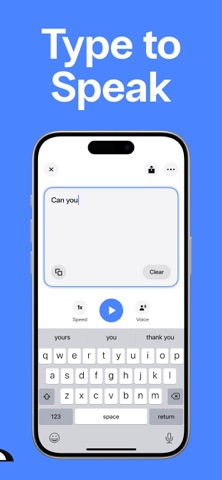
Speak4Me is a text to speech app that does two things: it reads aloud anything you want to listen to, and it speaks out loud anything you type. Listen to PDFs, documents, books, web articles and photos of printed pages – or type a message and let Speak4Me say it for you, in 120+ natural AI voices. LISTEN: READ ALOUD ANYTHING • PDF to audio – Import any PDF from Files or iCloud Drive and listen to it like an audiobook. Headers and footers are skipped automatically, so you only hear the content. • Documents and books – Turn long documents, book chapters, study notes and reports into audio. Follow along with real-time text highlighting. • Web articles – Listen to articles, blog posts and newsletters instead of reading them on screen. • Scan and listen – Take a photo of a printed page, a book, a letter or a menu, and Speak4Me reads the text out loud. • Listen anywhere – Keep listening while you commute, walk, work out or cook. Speed up the voice to get through your reading list faster. SPEAK: TYPE TO SPEAK • Type and Speak4Me talks for you – Write what you want to say and it is spoken out loud instantly, in the voice and language you choose. • A voice when you need one – Made for people who have lost their voice, have a speech disability, are recovering from a stroke, or find it hard to speak in some moments. Use it to talk face to face, at the doctor, in a shop or on the phone. • Favorite phrases – Save the sentences you use most and play them with one tap. • AI voice-overs – Use Speak4Me as an AI voice generator and narrator: type a script and export it as an MP3 for videos, TikTok, Reels, podcasts, presentations and customer support. NATURAL AI VOICES • 120+ lifelike AI voices, male and female, in 20+ languages and accents. • Ultra voices: our most human, expressive and fluid voices. • Adjust voice speed and font size to fit the way you read. MADE FOR EVERY READER • Dyslexia-friendly font and text highlighting to make reading easier. • Helpful for dyslexia, ADHD, low vision, language learners and anyone who prefers listening to reading. • Save any audio and share it via iMessage, WhatsApp, email and more. WHO USES SPEAK4ME Students who listen to their notes and PDFs. Professionals who turn reports and emails into audio. Book lovers who listen to what they read. People who use their phone as a voice to communicate. Creators who need quick voice-overs. FAQ • Can Speak4Me read PDFs aloud? Yes. Import any PDF and listen to it like an audiobook, with headers and footers skipped. • Can it read a printed book or document? Yes. Take a photo of the page and Speak4Me reads the text out loud. • Can it read web articles? Yes. Listen to articles, blog posts and newsletters instead of reading them on screen. • Can it speak for me? Yes. Type any sentence and it is spoken out loud instantly. Save the phrases you use most for one-tap access. • Can I use it as an AAC app? Yes. Speak4Me works as a simple type-to-speak communication tool for people who can't speak or find it hard to. • Can I create AI voice-overs? Yes. Type a script, pick one of 120+ AI voices and export it as an MP3. • Does it help with dyslexia? Yes. It offers a dyslexia-friendly font and highlights the text as it reads. • Can I change the reading speed? Yes. Slow it down or speed it up to fit the way you listen. • Which languages does it support? 20+ languages and accents, including American, British and Australian English, Spanish, French, German, Chinese and Japanese. Questions or feature requests? Write to us at [email protected] SUBSCRIPTION Monthly and yearly plans renew automatically unless cancelled at least 24 hours before the end of the period. Payment is charged to your Apple Account. Manage or cancel anytime in Account Settings. Any unused free trial ends when you subscribe. Privacy Policy: https://speak4me-3ac5f.web.app/policy/policy.html Terms of Use: https://speak4me-3ac5f.web.app/policy/terms.html


Air Apps Systems
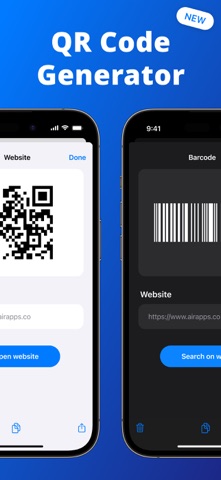
Scan QR codes and barcodes instantly with QR Code Reader, a smart QR code and barcode scanner built for everyday life. Your all-in-one QR code reader, QR code generator, and product scanner. Whether you need to scan a barcode in-store, check a menu, create a custom code, or organize your stock with inventory management, QR Code Reader makes it quick and simple. How to scan a code? Open the app, point your camera, and scan any QR code or barcode instantly. QR Code Reader supports all major formats, including QR CODE, EAN13, UPC, ITF14, CODE128, AZTEC, DATAMATRIX, and more. Results appear right away, so you can open links, access product details, or save your scans. Can I create QR codes and barcodes? With the built-in QR code generator and barcode maker, you can create custom codes for websites, contact details, promotions, or business use. Personalize your QR codes with templates or use AI-powered customization for marketing and social media branding. Does QR Code Reader support batch scanning? QR Code Reader includes a batch barcode scanner so you can scan multiple barcodes at once and save them in folders. This makes it ideal for inventory management, food stock control, or using as an inventory tracker for home or business. Can I use it for shopping and price comparison? QR Code Reader doubles as a smart product scanner and price checker. Use it as a Walmart scanner or general price scanner to compare deals instantly and make smarter shopping choices. How does it help with product and home organization? Scan barcodes to get nutritional info, product details, and pricing. Track items in your pantry or household with simple inventory tools. Can I save my scans? Every scan is automatically stored in your history. With the built-in barcode lookup, you can revisit past scans, search for products, or retrieve contact info from scanned cards. Is it optimized for iPhone and iPad? QR Code Reader is designed as a fast QR code scanner for iPhone and a reliable QR reader for iPad. The app delivers smooth performance across iOS devices. Download QR Code Reader today to scan, create, and organize QR codes and barcodes instantly. Turn your phone into a smart QR code reader and barcode scanner now! Take your experience to the next level with Air Apps One, the ultimate subscription. Subscription to one app unlocks 30+ powerful tools for productivity, learning, fitness, and creativity at no extra cost. Simplify your life with seamless access, exclusive discounts, and effortless integration into your daily routine. Subscribe now for an all-in-one, hassle-free experience! --- Subscription payments are charged to your iTunes account upon purchase and renewal. Free trials auto-renew to paid subscriptions unless canceled at least 24 hours before the current period ends. Cancellation takes effect after the current period, downgrading you to the free service. Unused trial portions are forfeited upon premium subscription purchase. Please note and acknowledge that all subscriptions are processed and managed through your Apple ID, including cancellations, refunds, and changes. For further assistance, please contact Apple's support team. If you are an European Union resident, you can cancel your order within 14 days by following the process in the Apple App Store. Please note and acknowledge: cancellations and refunds are not available if you have downloaded and started using the app. Connect with us through: Web: https://airapps.co Linkedin: https://www.linkedin.com/company/airapps Instagram: https://www.instagram.com/airappsco Privacy Policy: https://airapps.co/privacy Terms Of Use: https://airapps.co/terms Support: Contact us at [email protected]


Adobe Inc.
Major update: The new Digitize tool lets you scan handwritten notes and whiteboards into editable, searchable documents that look digitally created. Currently available in beta. Adobe Scan is free to download and turns your mobile device into a powerful PDF and document scanner that helps you create, save, and organize your paper documents as digital files. 6 WAYS TO USE ADOBE SCAN 1) Save time with a fast document scanner: Use High-speed scan to bulk scan documents and turn stacks into PDFs in seconds. 2) Clean up scans with Magic eraser: Auto-detect and remove thumbs, shadows, stains and creases so your document scans look clear and professional. 3) Make a PDF with your phone: Convert paper documents or printed images into PDFs or JPEGs with the mobile PDF and photo scanner. 4) Use the Extract pages tool to choose the pages you need from any multi-page scan and save them as a new PDF. 5) Turn images to text: Use the image-to-text feature to make words in your scans searchable and editable with OCR. 6) Scan anything: Receipts, IDs, notes, recipes, photos, business cards, whiteboards – scan documents into PDF or JPEG files you can work with on your phone, tablet, or computer. CAPTURE WITH PRECISION • The Straighten tool fixes pages that come out curved or tilted while you scan, even if all four corners aren’t visible in the scan. • Advanced scanning technology detects borders, sharpens content, and makes your scans editable and searchable. ENHANCE YOUR SCANS • Edit in text lets you scan words, and handwritten text, to make it editable. • The Modify tool helps you crop, rotate, resize, and adjust colors in your scans. • Reorder pages and preview before saving. • Adjust the brightness and contrast of your scans in just a few taps. ORGANIZE YOUR DOCUMENTS • Scan paperwork and create custom folders for work documents, personal files, school forms, or ID scans. • Contact details are pulled straight from business cards so you can save them to your phone contacts in seconds. • Scans are automatically saved to Adobe Document Cloud for instant access and sharing. • Set a password to keep that important scan secure while you send it. SMART LIBRARY • This powerful doc scanner finds documents and receipts in your photo library and turns them into PDFs. • Touch up scans or photos directly from your camera roll. REUSE & SHARE • Open PDFs directly in Adobe Scan, without leaving the app. Then use tools like Modify, Edit, and Share. • Make high-quality PDFs that unlock text from images – from scanned contracts to study notes – so you can copy, edit, and reuse. • Export your scans to Word, Excel, or PowerPoint for new formats, then share. DO MORE WITH ACROBAT READER • Open your PDF scan in Acrobat Reader to comment, highlight, fill forms, and sign documents. • Access and share securely across Scan, Reader, and Acrobat on web and mobile. IN-APP PURCHASE • Subscribe for even more scanning power. Subscriptions work across Scan and Reader mobile apps and Acrobat on the web. • Combine scans into one file so you can take multiple scans and consolidate into one document. • Increase OCR capacity from 5 to 100 pages so that you can find text in multiple images. Download this free mobile scanner to convert important photos and documents into PDF and JPEG files to help you stay organized. Adobe Scan is the PDF converter trusted by millions worldwide. Terms & Conditions: Your use of this application is governed by the Adobe General Terms of Use http://www.adobe.com/go/terms_linkfree_en and the Adobe Privacy Policy http://www.adobe.com/go/privacy_policy_linkfree_en Do not sell or share my personal information www.adobe.com/go/ca-rights-linkfree

PSPDFKit GmbH
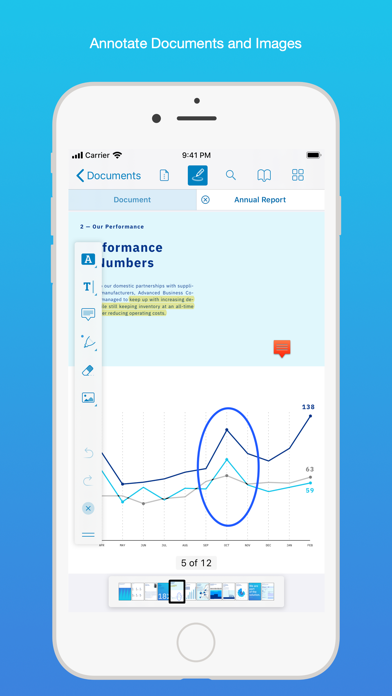
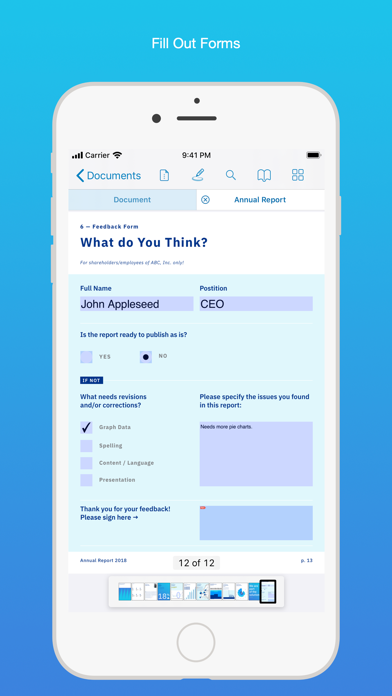
PDF Viewer is a fast and beautiful app, allowing you to view, search, and annotate PDF documents with ease on your iPhone and iPad. Access your files from iCloud, Dropbox, Box, OneDrive, Google Drive or any other cloud solution via Apple's familiar Document Browser interface. +++ Listed as “Productivity lifesaver” on the App Store +++ "A streamlined interface packed with powerful features - it’s like having a desktop-quality PDF toolkit wherever we go" – App Store Editor Notes “I'm impressed by how the folks at PSPDFKit have been able to fine-tune the document browser to the app's needs.” – MacStories.net "If you want a PDF viewer that is designed for reading PDF books, this is it." – App Review VIEW DOCUMENTS ON THE GO • Easily import a PDF from your favorite cloud service provider, email, or directly off a website. • Supports Open In Place, Drag & Drop and features the familiar Apple Document Browser interface from the Files app. • Search for the exact text you are looking for within the document. • Double tap on the screen to Smart Zoom directly to the text you want to read. • Annotate images (JPEG, PNG) non-destructive, just like PDF documents. (PRO) ANNOTATE WITH EASE • While reviewing a document, use your finger or Apple Pencil to highlight and markup text. • Leave comments by adding a note, text, or drawing directly on the PDF. • Add images or audio. • Reply to notes. (PRO) SIGN DOCUMENTS ANYWHERE • Add your signature to any document using your finger or Apple Pencil. • Move and resize your signature as needed. • Flatten a document to ensure the signature doesn’t change. CREATE AND EDIT PDFs • Create new documents from existing documents by moving, rotating, deleting, or adding new pages. • Combine multiple documents into a single one. (PRO) • Add bookmarks to easily return to certain pages in large documents. FILL OUT FORMS • Quickly fill out PDF Forms by adding text to the fields. • Flatten and secure the form once you’re done to ensure the document doesn’t change. • Add a signature to any Form. STORE, ORGANIZE AND SHARE • Store documents, create folders and organize your documents. • Share documents by printing, emailing or saving your edits back any cloud service. PASSWORD PROTECT DOCUMENTS • Read document metadata, title and keywords. • Protect documents with user and owner passwords and limit permissions. (PRO) AND SO MUCH MORE • Conveniently switch to night mode when viewing your documents at night. • Present on external screens without the distraction of toolbars. (PRO) • Have the text from a PDF read out loud to you with text-to-speech. • PDF Viewer remembers where you were down to the page/position where you left off - even across devices. PRICING PDF Viewer comes with a large feature set, completely free. Some advanced features require the purchase of PDF Viewer Pro, available as a subscription. We offer 3-monthly and yearly subscription plans. There’s also a fully functional 7-day trial, so you can test PDF Viewer Pro (including document merging and password editing) before you commit. All plans unlock the app on iPhone and iPad. TRUSTED BY COMPANIES YOU KNOW PDF Viewer is built on top of and powered by PSPDFKit, the same PDF engine trusted around the world by companies like Dropbox, Box, IBM, Atlassian, SAP, and Lufthansa. BE PART OF THE PDF VIEWER COMMUNITY pdfviewer.io twitter.com/pdfviewerapp LEGAL Duration and price of each subscription are displayed in PDF Viewers’ storefront, updated at the time of purchase. Payment will be charged to iTunes account at confirmation of purchase. Subscriptions automatically renew unless auto-renew is turned off no later than 24 hours before the end of the current period. Subscriptions and auto-renewal can be managed/turned off in the iTunes account settings. Any unused portion of a free trial period is forfeited as soon as a subscription is purchased. Terms of Use: https://pdfviewer.io/terms Privacy Policy: https://pdfviewer.io/privacy

Codespace Dijital Hizmetler Anonim Şirketi
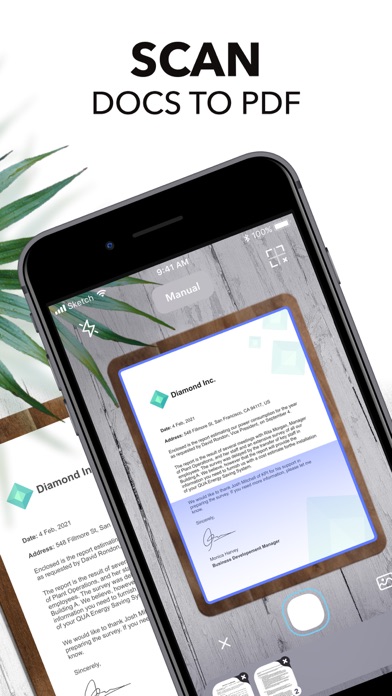
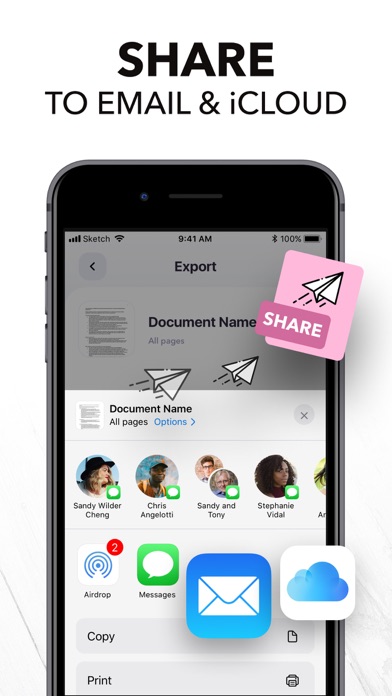
Want to keep both your money & your scanner in your pocket? Get Scanner+ for free NOW & instantly start to SCAN, SIGN, and SHARE any document in PDF, JPG, or TXT formats. Scan any paper with your iPhone's camera: the Scanner+ app will automatically recognize the edges of your document, enhance it, and give you a perfectly scanned copy that's ready to share on your favorite platform! Scanner+ offers you 12 AMAZING FEATURES that other scanners won't: SCAN DOCUMENTS Scan multiple pages into one PDF document. Enjoy the Turbo Scan mode! Why waste hours on your computer when you can quickly do it with a tiny scanner in your pocket? SCAN & RESTORE PHOTOS Photo scan is the latest feature of Scanner+ that lets you scan and save your favorite printed photos using your phone’s camera. Don’t just take a picture of a picture. Create enhanced digital scans; the photo scanner auto-detects picture boundaries, crops, restores colors and saves them into a digital album. ENHANCE & COLORIZE PHOTOS Bring your scans to life with colorize & enhance features. Enhance old photos & fix blurs and turn them into high resolution digital versions. Colorize black & white old photos to bring back memories and share them with your loved ones. CREATE ALBUMS Scan an entire photo album in minutes. Back up your scans to keep them safe, searchable, and organized. CONVERT TO PDF Scanner+ is also a PDF Converter that turns photos & images into searchable digital documents! This way you can also ""CTRL+F"" across your documents! EXPORT & SHARE Export your scans as .PDF .DOCX or .TXT and share with iMessage, Adobe PDF, Email - Gmail - Outlook - Spark, Wi-Fi Printer, Box, Whatsapp, iCloud Drive, Facebook Messenger, Dropbox, Evernote, Google Drive, OneDrive, OneNote and any other app/platform! SIGN DOCUMENTS Sign PDF documents in less than a second. Transfer your signature across documents! SMART CROP (YOU'LL LOVE THIS!) Your docs will be automatically cropped from its edges right after you scan it. Don't waste your valuable time trying to crop every single document! RECOVER RUINED DOCUMENTS Spilled coffee to your doc? Your dog took a bite from your homework? Recover it with our scanner app using the Genius Scan mode and become a scan guru! HIGHLIGHT TEXTS Highlight important parts of your documents with Scanner+ doc scanner! Very useful while studying from your scanned textbook! EDIT DOCUMENTS HIDE and BLUR unwanted parts with Scanner+ document editor! This is a great feature for hiding confidential parts of your documents. Time to become a scanmaster! ADJUST THE BRIGHTNESS Need to scan documents in a dark room? No problem at all! TRANSLATE TEXTS TO 100+ LANGUAGES Not that you'll need to translate texts to Latin or Cambodian every other day, but in case you need it, Scanner+ got you covered! RECOGNIZE TEXTS WITH OCR Recognize texts from any scannable object with the OCR text scanner mode. And yes, you can even edit handwritten texts with Scanner+! KEEP YOUR DOCS ORGANIZED Scanner+ offers more than a powerful cam scanner, it also has a drag & drop file manager with smart tags. Never lose an important document again! == PRIVACY & SECURITY == All documents are stored locally on your iPhone, so ONLY YOU will be able to access your documents! Neither we nor any third parties will have access. == PRICING & LEGAL == Scanner+ is free to use, and it will always stay free. Should you choose to, you can subscribe to Scanner+ Premium to access more features. You can start a yearly subscription with a 3-day free trial. Subscriptions automatically renew unless auto-renew is turned off no later than 24 hours before the end of the current period. Manage subscriptions, disable auto-renewal in the iTunes account settings. Privacy Policy: http://scannerplus.com/privacy-policy Terms & Condition - EULA : http://scannerplus.com/terms-conditions For any questions or inquiries about our mobile pdf scanner, reach out to us at [email protected]
SideStore Team
SideStore is an alternative app store for non-jailbroken devices. SideStore allows you to sideload other .ipa files and apps from the Files app or via the SideStore Library

Essa Studio
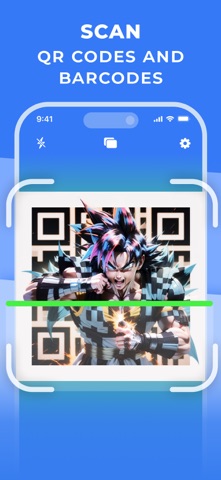
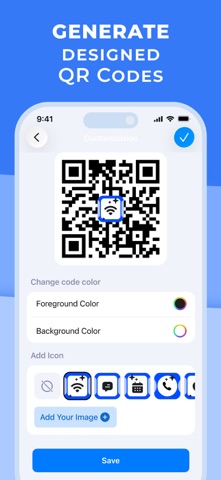
Scan anything instantly – QR codes, Barcodes, PDFs, even product photos. Download QR Scanner, point your camera, and go. Everyday tasks made simple: open a restaurant menu, join Wi-Fi, check store prices, or turn paper into a PDF in seconds. Whether you're shopping, working, or just trying to get things done quickly, QR Scanner helps you act fast without needing any tech skills. It’s the trusted everyday tool for thousands of people who want fast answers – right when they need them. What you can do: — Scan Anything, Fast – URLs, contacts, Wi-Fi, emails, calendar invites and more in a flash. — Snap a Product to Search Online – Take a photo of any product and instantly see reviews and prices across the web. — Make & Share Your Own Codes – Create custom QR codes or barcodes for your Wi-Fi, contact card, event or link. — Turn Paper into PDFs – Scan documents and save them as clean, shareable files on the go. No setup, no confusing steps – just tap, scan, done. Join thousands who rely on QR Scanner every day – and scan with total confidence. Download now and make your next scan effortless. Privacy and Security We never store your scan history—everything stays on your device. Read our Privacy Policy: https://barscanner.codes/privacy. Terms Enjoy a free trial with full access. You can cancel anytime during or after the trial in your iTunes Account Settings. Terms of Service: https://barscanner.codes/termsofuse.

pinauten
Fugu15 is a semi-untethered permasigned jailbreak for iOS 15. It contains a code-signing bypass, kernel exploit, kernel PAC bypass and PPL bypass. Additionally, it can be installed via Safari, i.e. a computer is not required, except for a Web Server that hosts Fugu15. Please note that Fugu15 does not support tweaks (no tweak injection library). Status: ❌ (Discontinued)

Karbin-Store
⚙️تایبەتمەندیەکانی بەرنامەکە⚙️ هاوردە و پاشەکەوتکردنی فایلە جۆراوجۆرەکان لە کۆمپیوتەر و FTP ✅ دابەزاندنی فایلە جیاوازەکان لە ڕێگەی لینکەوە ✅ سەیڤکردنی هاوپێچەکانی ئیمەیڵ ✅ سەیرکردنی وێب پەیجەکان و خوێندنەوەی ✅ گۆڕینی لاپەڕەکانی وێب بۆ PDF ✅ بەڕێوەبردنی فایل و دروستکردنی فۆڵدەر ✅ پاراستنی هەموو مۆدێلی فایلەکان بە پاراستنی پاسۆرد ✅

Karbin-Store
دروستکردنی تێبینی و بەڵگەنامە بە شێوەیەکی ئاسان بە بێ بەکارهێنانی کۆمپیتەر پشتگیری سەیڤکردن بە PDF و چەند فرۆماتێکی تر دەکات ، لاپەرەیەکە بۆ دەستنوسی و دەسکاری کردنی نوسینەکان بەبێ ماندووبون ، گەر تۆ خوێندکاری یاخود کارمەندی هەر شوێنێکیت پێویستە ئەم ئاپە ناوەزەیە لەناو ئامێرەکەت دا هەبێت کڕینی پاکێجە بە پارەکان بە خۆڕایی، پەنجە لەسەر کڕین بدە پاشان پاشگەزببەوە ✅

Karbin-Store
تایبەتمەندی؛ ڕێگەت پێدەدات بەڵگەنامەی وۆرد دروست بکەیت، بە ئاسانی بینین و دەستکاریکردنی ئێکسڵ، پاوەرپۆینت، جگە لە ئەنجامدانی کارەکانی PDF پێشکەوتوو Get هەموو ئەمانە لەگەڵ بەڕێوەبەری هەڵگرتنی فایل. هەڵگرتنی هەور لە یەک بەرنامەی یەکگرتوودا.

Karbin-Store

Karbin-Store
لابردنی ڕێکلامەکانی لاپەڕەی دەستپێکردن ✅ ئەندامێتی پڕۆ کراوە ✅

Karbin-Store
⚙️تایبەتمەندیەکانی بەرنامە⚙️ دمج ملفات PDF ✅ استخراج صفحات PDF ✅ تحويل ملف PDF الممسوح ضوئياً ✅ تحويل PDF إلى النص والنص إلى PDF ✅ إصلاح ملف PDF تالف ✅ ضغط ملف PDF ✅

Karbin-Store
You have reached the end of the results.