
Auto-generated collection
Best Emulator Apps
Top emulator IPA listings ranked by quality, freshness, availability, and demand.
Methodology: 35% demand, 25% freshness, 20% download availability, and 20% metadata completeness.
Best Emulator Apps
60 of 60 apps shown

utmapp
UTM is a full featured system emulator and virtual machine host for iOS and macOS. It is based off of QEMU. In short, it allows you to run Windows, Linux, and more on your Mac, iPhone, and iPad. More information at https://getutm.app/ and https://mac.getutm.app/ Status: ✅ Get pinged when any of your tweaks update. Free on Discord: https://discord.gg/mnJjP5qJRC
Henrik Rydgård
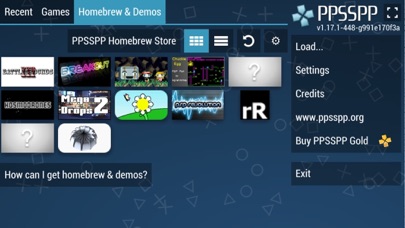
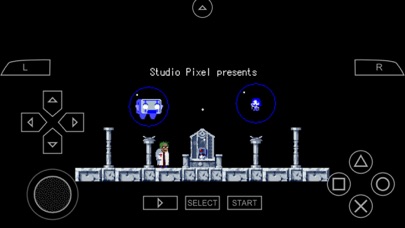
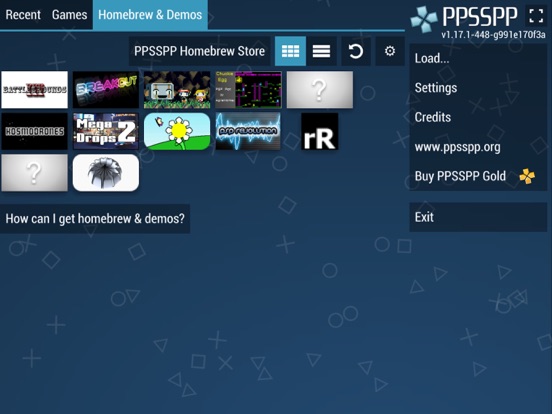
Play PSP games on your iOS device, in high definition with extra features! PPSSPP is the original and only PSP emulator for mobile devices. It can run nearly all PSP games with great performance on iOS. No games are included with this download. Use your own real PSP games and turn them into .ISO or .CSO files (see the homepage for instructions), or simply play free homemade games, which are available in the built-in "Homebrew Store". PSP is a trademark of Sony. The PPSSPP project is in no way affiliated with Sony.

ARMSX2
A free and open-source PlayStation 2 (PS2) emulator based on PCSX2, with native ARM64 JIT recompilers. Play PS2 games on your phone, PC, or gaming handheld. Get pinged when any of your tweaks update. Free on Discord: https://discord.gg/mnJjP5qJRC
Provenance Emu
Experience classic Nintendo GameCube and Wii games on your iOS devices and Apple TV. Built on the proven Dolphin emulator foundation. Features: • Full GameCube and Wii emulation • Controller support (MFi, PlayStation, Xbox) • Save states and real-time saves • High-resolution rendering • Fast-forward and slow motion • Customizable controls • Game library management • And much more! iCube is a fork of DolphiniOS, optimized for iOS and tvOS devices. Get pinged when any of your tweaks update. Free on Discord: https://discord.gg/mnJjP5qJRC
Provenance Emu
Experience classic Sega Dreamcast games on your iOS devices and Apple TV. Features: • Full Dreamcast emulation • Controller support (MFi, PlayStation, Xbox) • Save states and real-time saves • High-resolution rendering • Fast-forward and slow motion • Customizable controls • Game library management • And much more! This is an early build of iFly optimized for iOS and tvOS devices. Get pinged when any of your tweaks update. Free on Discord: https://discord.gg/mnJjP5qJRC

OatmealDome
DolphiniOS is a GameCube/Wii emulator (this version does not need JIT but its 'abit' laggy). Status: ✅🔥 Get pinged when any of your tweaks update. Free on Discord: https://discord.gg/mnJjP5qJRC
lpfoj
An open-source PlayStation 4/5 emulator for Android and iOS. The current iOS build supports PS4 gameplay and requires iOS 26+ with JIT. Get pinged when any of your tweaks update. Free on Discord: https://discord.gg/mnJjP5qJRC


Shenzhen Aoshuang Future Technology Co., Ltd
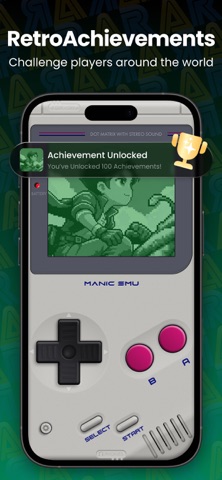
Manic EMU is an all-in-one retro emulator for iPhone and iPad. Console, handheld, arcade, computer, and mobile classics live in one library. The app does not include games, BIOS, or game data. Use only legally owned backups, homebrew, or public-domain software. Supported Platforms Nintendo - Nintendo 3DS (3DS) - Nintendo GameCube (NGC) - Nintendo Wii (Wii) - Nintendo 64 (N64) - Nintendo DS (NDS) - Game Boy Advance (GBA) - Game Boy Color (GBC) - Game Boy (GB) - Nintendo Entertainment System (NES) - Famicom Disk System (FDS) - Super Nintendo Entertainment System (SNES) - Virtual Boy (VB) - Pokemon Mini (PM) Sony - PlayStation (PS1) - PlayStation Portable (PSP) Sega - Dreamcast (DC) - Sega Saturn (SS) - Sega Master System (MS) - Game Gear (GG) - SG-1000 (SG) - Sega Genesis 32X (32X) - Sega CD / Mega-CD (MCD) - Sega Genesis / Mega Drive (MD) NEC - PC Engine (PCE) - TurboGrafx-16 (TG-16) - TurboGrafx-CD (TG-CD) - SuperGrafx (SGX) SNK - Neo Geo Pocket (NGP) - Neo Geo Pocket Color (NGPC) Atari - Atari 2600 - Atari 5200 - Atari 7800 - Atari Jaguar - Atari Lynx Commodore - Commodore 64 (C64) - Amiga Other - Arcade - DOOM - MS-DOS - Java ME (J2ME) - Symbian - WonderSwan - Flash More systems are planned. [RetroAchievements] - Challenge players worldwide and light up trophies that are yours - Multiset: grind multiple sets on one game — earn subset trophies without patching - Hardcore Mode: tougher rules, trophies that actually count [Save States, Your Way] - Unlimited manual save states plus 50 auto slots - Save Manager: browse by time, compare, and restore in one tap [Speed, Cheats & Shortcuts] - 5x fast forward — you set the pace - Cheats on demand from an online library - Custom shortcuts for save, speed, and screenshots [Filters, Skins & Screenshots] - Retro filters from our exclusive library - Skins that feel like real hardware, third-party skins welcome, flex layouts that fit your hands - Screenshots for the highlight reel [Landscape Library] - Landscape console mode — library, covers, and shortcuts on one screen - Background music and navigation sounds — browsing feels like an arcade - Browse with a controller or keyboard — stay on the couch [Play Together] - Local multiplayer whenever you want - Eligible cores can host rooms, scan LAN, connect over relay, and spectate [iCloud Sync — Your Game Universe] - Games, saves, and settings stay in sync across your devices - Encrypted cloud backup — switch devices with zero progress lost - Start on iPad, pick up on iPhone. Play anywhere — your games never pause [Cloud Import in One Step] - Google Drive, Dropbox, OneDrive, Baidu Cloud, Aliyun - WebDAV and SMB too — bring the whole library over in one go [Controllers Your Way] - Native Joy-Con, DualShock, and Xbox support - Bluetooth controllers and keyboards — play on Mac too - Multiple controllers at once, solo or a full party [AirPlay — Living Room Ready] - AirPlay to a TV or display - Phone to TV without a hitch — couch nights and hangouts - Big screen plus a controller — immersion maxed out Premium A free download includes core play features. Manic EMU Premium (monthly, yearly, or lifetime) unlocks higher fast-forward speeds, more save states and cheat slots, extra controller players, and other play features. Prices are shown in the app. Payment is charged to your Apple ID at confirmation. Subscriptions renew automatically unless canceled at least 24 hours before the end of the current period. The renewal charge is applied within 24 hours before the period ends. Manage or cancel in Settings > Apple ID > Subscriptions. Any unused portion of a free trial is forfeited when you subscribe. Refunds follow Apple policy. Privacy Policy: https://manicemu.site/privacy-policy Terms of Use: https://manicemu.site/terms-of-use Official Site: https://manicemu.site Support: [email protected] Legal Manic EMU is not affiliated with Apple or any game or console manufacturer. Platform names describe supported environments only.

LitRitt
Forked from Delta, this is a multi-core emulator front-end for iOS devices. It offers an attractive user interface and a suite of features not typically found in other emulators. Last updated: 03-29-2024 Status: ✅ Get pinged when any of your tweaks update. Free on Discord: https://discord.gg/mnJjP5qJRC

flyinghead
Emulator that supports multiple platforms, including Sega Dreamcast, Naomi, Naomi 2, and Atomiswave, and it is developed from reicast. A user requested it so here it is. Last updated: 03-17-2024 Status: ✅ Get pinged when any of your tweaks update. Free on Discord: https://discord.gg/mnJjP5qJRC
@kamohacks
@kamohacks | Husk 🆕 ⬆️⬆️ ⚙️Features⚙️ ✅Android Emulator for iOS also PS4 Games. ✅Developer Certificate is Required for iOS 27 if you want to enable build-in JIT without computer. Husk v3.1 What's new? • New UI, all over • New Home, Library, Store and game pages • Every screen, Settings included, uses the same navy look • Husk accounts • Sign in from the top of Settings • New Import screen: APK, split APKs (.xapk, .apkm, .apks), OBBs and PS4 game folders. On iPad you can drag files onto it. • Small icon size for the library • Chinese (Simplified) for all of Husk. The language you pick in setup is used by Husk and your apps. Store • New app page • Proper descriptions (bold, lists, links) • Short counts, like 1B+ downloads and 37M reviews • Tap screenshots to view them full screen, with zoom • Trailers, What's New, Highlights, tags and developer links • Store downloads can be stopped, and show in Downloads Android • Keyboard button for apps and games. Typing works even when there's no text box. • In-app file picker: when an app asks for a file, the iOS file picker opens • Fullscreen games are centered and use the whole screen (Plants vs. Zombies and more) • Cocos Creator games start • Godot 4.7 games can save • Flutter apps find their fonts • .NET apps run much further • Apps protected with Dex2C work • Android system pop-ups (Bluetooth, NFC…) don't break apps anymore • XAPKs with OBB files inside install correctly • Battery, 24-hour clock, time zone and language follow your phone Also • TrollStore and Dopamine on iOS 15–16 get JIT even when iOS refuses the usual way • The TrollStore build opens on devices it didn't before • Built-in StikJIT finds the pairing port by itself • Crash reports tell you when iOS closed Husk for using too much memory • Lots of fixes 🛒 Tutorial on how to turn on JIT for Husk iOS ( 27 ) 🛒 To Purchase a Developer Certificate contact me: @Ravand_S_F_E_T RULES 📝 📄Buy Your Own Certificate Tap Here 📱Apple ID With Paid Games Tap here 💬Group Chat Tap Here 📹YouTube Channel Tap Here 😗TikTok Channel Tap Here 🛍KamoShop Tap Here 📱👍🔥🔥🔥🔥🔥🔥✅ Get pinged when any of your tweaks update. Free on Discord: https://discord.gg/mnJjP5qJRC

Jarrod Norwell (Antique)
Folium is a paid multi-system emulator that merge Limon and other of Jarrod's emulators into one central app. It currently supports 3DS (Citra), NES (Kiwi) and Switch (Yuzu). Please refrain from opening issues here; instead, consider joining their Discord server or ask for any questions here. Last updated: 03-27-2024 Status: ❔ Get pinged when any of your tweaks update. Free on Discord: https://discord.gg/mnJjP5qJRC

emuPlace
Nintendo 3DS emulator for iPad and iPhone built from Citra. It incorporates experimental Vulkan renderer from GPUcode via MoltenVK. Note: Now merged into a new app: Folium. Please refer to its description for more details. Last updated: 01-27-2024 Status: ❌ Get pinged when any of your tweaks update. Free on Discord: https://discord.gg/mnJjP5qJRC
DanielTheManiel's Repo
MeloNX MeloNX enables Nintendo Switch game emulation on iOS using Ryujinx as a base. MeloNX is an iOS Nintendo Switch emulator based on Ryujinx, written primarily in C# and Swift. Designed to bring accurate performance and a user-friendly interface to iOS, MeloNX makes Switch games accessible on Apple devices. Developed from the ground up, MeloNX is open-source and available on Github under the GPLv3 license. FAQ Where's the prod.keys file?/Where can I download [game]? We do not support piracy, It is forbidden to request copyrighted content (Firmware/Games/Keys/Shaders) on our repositories or on the MeloNX Discord. Do I need a Switch to use this emulator? MeloNX emulator is capable of running many homebrew applications, and can be a crucial tool in the development and debugging of homebrew applications and games. To play commercial games, you will need access to a Switch compatible with custom firmware (CFW), which will enable you to dump your system firmware, keys and legally purchased games. How can I dump my firmware/games/keys? First, you need to hack your Nintendo Switch, which you can learn how to do here: https://nh-server.github.io/switch-guide/. Once you have hacked your Switch, backed up your keys and dumped your firmware, you may follow these guides to dump keys, updates and DLC, firmware and games: Keys Games, Updates and DLC Firmware Info A Paid Developer account or TrollStore may be needed for specific devices (Read about Entitlements below) MeloNX REQUIRES JIT and CANNOT run without it. Recommended iPhone: iPhone 15 Pro+ (8/12GB RAM both have the same memory limit of 6GB) Recommended iPad: iPad Pro 5th+ 128GB+ (8GB RAM) / 1TB+ (16GB RAM) or iPad Air 5+ (8GB RAM) Lowest Compatible Device (Paid Developer Account): iPhone 6s (iOS 15) Lowest Compatible Device (Free Developer Account): iPhone 12 Entitlements Entitlements are the underlying security permissions that allow an app to access specific features of your device MeloNX can use 2 Entitlements: Increased Memory Limit: - This allows MeloNX to be able to use the most amount of ram apple lets us. Extended Virtual Addressing: - This allows MeloNX to be able to ask iOS for more memory / RAM then actually available. - Extended Virtual Addressing is a PAID entitlement, TrollStore also gives this entitlement. Increased Memory Limit is required for all devices. Extended Virtual Addressing is required for specific devices which don't allow us to ask the RAM we need without the Extended Virtual Addressing entitlement. Those Devices include: iPads with less than 8GB of RAM. iPhones with less than 4GB of RAM. Discord Server We have a discord server! - https://discord.gg/HjCDPTpC3W How to install Recommended Guide (Plumeimpactor) SideStore is recommended (optional) for an on-device Sideloader, and should be installed prior performing this install. Make sure to read the FAQ and Info before continuing. 1. Sideload Application Download and install MeloNX using PlumeImpactor on a computer. - Download MeloNX From Releases - Open PlumeImpactor > Click Settings > Click Login - Login with the same Apple ID you are using for SideStore (or AltStore). - Import the MeloNX .ipa you downloaded earlier. - Plug in your iDevice. - Select your iDevice from the dropdown at the top of the window. - Click Install. 2. Load Into SideStore (Optional) To have MeloNX show inside SideStore (or AltStore), You must re-install it: - Open SideStore on your iDevice - Select the My Apps tab > Tap the + button. - Select the MeloNX .ipa (You may need to download it again.) - Wait for it to Sideload, then it should show up Inside SideStore. - Now You can Refresh MeloNX and Update it without needing a computer. 4. Setup Files Add Encryption Keys and Firmware using the file picker inside MeloNX, Information for where to get these files are here 5. Enable JIT Enable JIT using your preferred method, on iOS 26 StikDebug is required. Paid Developer Account (Legacy) Make sure to read the FAQ and Info before continuing. 1. Sideload MeloNX Download and install MeloNX using your preferred Apple ID (NOT CERT) sideloader: - Download MeloNX from Releases 2. Enable Memory Entitlement Visit Apple Developer Identifiers. Locate MeloNX and enable the following entitlements: Increased Memory Limit Extended Virtual Addressing Increased Debugging Memory Limit 3. Reinstall MeloNX Delete existing MeloNX installation Sideload MeloNX again Verify Increased Memory Limit is enabled in app 4. Setup Files Add Encryption Keys and Firmware using the file picker inside MeloNX Information for where to get these files are here 5. Enable JIT Enable JIT using your preferred method, on iOS 26 StikDebug is required. Free Developer Account (Legacy, On-Device) This Guide is out of date and not recommended unless REQUIRED. Please follow the recommended guide here. SideStore is recommended to Sideload MeloNX. Make sure to read the FAQ and Info before continuing. The Entitlement App is NOT needed for AltStore Classic - You may skip Step 2 and Step 3 1. Sideload Applications Download and install both apps using your preferred APPLE ID sideloader: - MeloNX: Download from Releases - Entitlement App: Download IPA 2. Enable Memory Entitlement If the Entitlement / GetMoreRam app isn't working correctly, then try the new Plumeimpactor method. - Open the Entitlement app > Settings - Sign in with the same Apple ID you used to Sideload MeloNX. - Go to App IDs > tap Refresh - Select MeloNX (e.g., "com.stossy11.MeloNX.XXXXXX") - Tap Add Increased Memory Limit 3. Reinstall MeloNX Delete existing MeloNX installation Sideload MeloNX again Verify Increased Memory Limit is enabled in app 4. Setup Files Add Encryption Keys and Firmware using the file picker inside MeloNX Information for where to get these files are here 5. Enable JIT Enable JIT using your preferred method. We recommend StikDebug. Features - Audio Audio output is entirely supported, audio input (microphone) isn't supported. We use C# wrappers for OpenAL, and SDL2 & libsoundio as fallbacks. - CPU The CPU emulator, ARMeilleure, emulates an ARMv8 CPU and currently has support for most 64-bit ARMv8 and some of the ARMv7 (and older) instructions, including partial 32-bit support. It translates the ARM code to a custom IR, performs a few optimizations, and turns that into x86 code. There are three memory manager options available depending on the user's preference, leveraging both software-based (slower) and host-mapped modes (much faster). The fastest option (host, unchecked) is set by default. Ryujinx also features an optional Profiled Persistent Translation Cache, which essentially caches translated functions so that they do not need to be translated every time the game loads. The net result is a significant reduction in load times (the amount of time between launching a game and arriving at the title screen) for nearly every game. NOTE: This feature is enabled by default, You must launch the game at least twice to the title screen or beyond before performance improvements are unlocked on the third launch! These improvements are permanent and do not require any extra launches going forward. - GPU The GPU emulator emulates the Switch's Maxwell GPU using Metal (via MoltenVK) APIs through a custom build of Silk.NET. - Input We currently have support for keyboard, touch input, JoyCon input support, and nearly all MFI controllers. Motion controls are natively supported in most cases, however JoyCons do not have motion support due to an iOS limitation. Rumble is also natively supported in most cases. - DLC & Modifications MeloNX supports DLC + Game Update Add-ons. Mods (romfs, exefs, and runtime mods such as cheats) are unsupported; but may work. - Configuration The emulator has settings for enabling or disabling logging, remapping controllers, resolution settings, Shader Cache and more. Notice This project does not distribute, include, or endorse any copyrighted or pirated content. The software is provided for legitimate and lawful use. Users are solely responsible for ensuring that any copyrighted material they use with this software (including, but not limited to, ROMs, cryptographic keys, and firmware) is obtained legally and in accordance with applicable law. The developers disclaim all responsibility for any misuse of the software or for any legal consequences resulting from the use of illegally obtained content. Any third-party distribution of this emulator bundled with copyrighted content (including, but not limited to, ROMs, cryptographic keys, and firmware) is done without permission and is not associated with orendorsed by this project. Nintendo Switch is a trademark of Nintendo Co., Ltd. Nintendo is a trademark of Nintendo Co., Ltd. Pokémon is a trademark of Nintendo/Creatures Inc./Game Freak Inc. Animal Crossing is a trademark of Nintendo Co., Ltd. This project is an independent, third-party work and is not affiliated with, endorsed by, or associated with Nintendo Co., Ltd., any of its subsidiaries, or any other console manufacturer or game and/or game publisher. License This software is licensed under the terms of the GPLv3 license. This project makes use of code authored by the libvpx project, licensed under BSD and the ffmpeg project, licensed under LGPLv3. See LICENSE.txt and THIRDPARTY.md for more details. Credits Ryujinx the base of MeloNX (Thank you Ryubing!) LibHac is used for our file-system. AmiiboAPI is used in our Amiibo emulation. ldn_mitm is used for one of our available multiplayer modes. ShellLink is used for Windows shortcut generation. Get pinged when any of your tweaks update. Free on Discord: https://discord.gg/mnJjP5qJRC

LiveContainer
LiveContainer An app launcher that runs iOS apps without actually installing them! Crowdin Project: [](https://crowdin.com/project/livecontainer) | Documentation:[livecontainer.github.io](https://livecontainer.github.io/docs/intro) # LiveContainer - LiveContainer is an app launcher (not emulator or hypervisor) that allows you to run iOS apps inside it. - Allows you to install unlimited apps (3 app/10 app id free developer account limit does not apply here) with only one app & app id. You can also have multiple versions of an app installed with multiple data containers. - (Below iOS 26) When JIT is available, codesign is entirely bypassed, no need to sign your apps before installing. Otherwise, your app will be signed with the same certificate used by LiveContainer. > [!CAUTION] > **Important Notice Regarding Third-Party Builds of LiveContainer** > > We have recently noticed the appearance of certain closed-source third-party builds of LiveContainer. Please be aware that all your apps are installed within LiveContainer, which means these third-party builds **have full access to your data, including sensitive information such as keychain items and login credentials**. > > Furthermore, please note that we do not provide any support for issues of these third-party builds. # Installation **LiveContainer comes with a standalone version and a version with built-in SideStore. [Please read the install guide here](https://livecontainer.github.io/docs/installation)** If you encounter any issue please [read our FAQ here](https://livecontainer.github.io/docs/faq) ### Standalone Stable Nightly ### LiveContainer+SideStore |Stable|Nightly| |:-:|:-:| ||| ## Requirements - iOS/iPadOS 15+ + Multitasking requires iOS/iPadOS 16.0+ - AltStore 2.0+ / SideStore 0.6.0+ # Features & Guides ### Installing Apps - Open LiveContainer, tap the plus icon in the upper right hand corner and select IPA files to install. - Choose the app you want to open in the next launch. - You can long-press the app to manage it. ### [Add Apps to Home Screen](https://livecontainer.github.io/docs/guides/add-to-home-screen) ### [Multiple LiveContainers](https://livecontainer.github.io/docs/guides/multiple-livecontainers) Using multiple LiveContainers allows you to run multiples different apps simultaneously, with *almost* seamless data transfer between the LiveContainers. ### [Multitasking](https://livecontainer.github.io/docs/guides/multitask) You can now launch multiple apps simultaneously in in-app virtual windows. These windows can be resized, scaled, and even displayed using the native Picture-in-Picture (PiP) feature. On iPads, apps can run in native window mode, displaying each app in a separate system window. And if you wish, you can choose to run apps in multitasking mode by default in settings. To use multitasking, hold its banner and tap **"Multitask"**. You can also make Multitask the default launch mode in settings. >[!Note] >1. To use multitasking, ensure you select **"Keep App Extensions"** when installing via SideStore/AltStore. >2. If you want to enable JIT for multitasked apps, you’ll need a JIT enabler that supports attaching by PID. (StikDebug) ### [JIT Support](https://livecontainer.github.io/docs/guides/jit-support) ### [Installing external tweaks](https://livecontainer.github.io/docs/guides/tweaks) ### [Multiple Containers/External Containers](https://livecontainer.github.io/docs/guides/containers-and-external-data) ### [Hiding Apps](https://livecontainer.github.io/docs/guides/lock-app) ### Fix File Picker & Local Notification Some apps may experience issues with their file pickers or not be able to apply for notification permission in LiveContainer. To resolve this, enable "Fix File Picker" & "Fix Local Notifications" accordingly in the app-specific settings. ### "Open In App" Support - You can simply share a URL or a file to app simply by using iOS's native share sheet. In share sheet, select LiveContainer, and LiveContainer will ask you which app you'd like to open that URL/file in. - What's more, you also can tap the link icon in the top-right corner of the "Apps" tab and input the URL. LiveContainer will detect the appropriate app and ask if you want to launch it. ## Compatibility Unfortunately, not all apps work in LiveContainer, so we have a [compatibility list](https://github.com/LiveContainer/LiveContainer/labels/compatibility) to tell if there is apps that have issues. If they aren't on this list, then it's likely going run. However, if it doesn't work, please make an [issue](https://github.com/LiveContainer/LiveContainer/issues/new/choose) about it. ## Building Open Xcode, edit `DEVELOPMENT_TEAM[config=Debug]` in `xcconfigs/Global.xcconfig` to your team id and compile. ## Project structure ### Main executable - Core of LiveContainer - Contains the logic of setting up guest environment and loading guest app. - If no app is selected, it loads LiveContainerSwiftUI. ### LiveContainerSwiftUI - SwiftUI rewrite of LiveContainerUI (by @hugeBlack) - Language file `Localizable.xcstrings` is in here for multilingual support. To help us translate LiveContainer, please visit [our crowdin project](https://crowdin.com/project/livecontainer) ### MultitaskSupport - Contains the implementation of multitasking feature. - Based on [FrontBoardAppLauncher](https://github.com/khanhduytran0/FrontBoardAppLauncher) ### SideStore - Supporting code for SideStore's app refreshing integration ### TweakLoader - A simple tweak injector, which loads CydiaSubstrate and loads tweaks. - Injected to every app you install in LiveContainer. ### ZSign - The app signer shipped with LiveContainer. - Originally made by [zhlynn](https://github.com/zhlynn/zsign). - LiveContainer uses [Feather's](https://github.com/khcrysalis/Feather) version of ZSign modified by khcrysalis. - Changes are made to meet LiveContainer's needs. ## How does it work? ### Patching guest executable - Patch `__PAGEZERO` segment: + Change `vmaddr` to `0xFFFFC000` (`0x100000000 - 0x4000`) + Change `vmsize` to `0x4000` - Change `MH_EXECUTE` to `MH_DYLIB`. - Inject a load command to load `TweakLoader.dylib` ### Patching `@executable_path` - Hook `dyld4::APIs::_NSGetExecutablePath` - Call `_NSGetExecutablePath` - Replace `config.process.mainExecutablePath` - Calculate address of `config.process.mainExecutablePath` using `dyld4::APIs` instance (passed as first parameter) - Use `builtin_vm_protect` or TPRO unlock to make it writable - Replace the address with one we have control of - Put the original `dyld4::APIs::_NSGetExecutablePath` back > Old Method >- Call `_NSGetExecutablePath` with an invalid buffer pointer input -> SIGSEGV >- Do some [magic stuff](https://github.com/khanhduytran0/LiveContainer/blob/5ef1e6a/main.m#L74-L115) to overwrite the contents of executable_path. ### Patching `NSBundle.mainBundle` - This property is overwritten with the guest app's bundle. ### Bypassing Library Validation - JIT is optional to bypass codesigning. In JIT-less mode, all executables are signed so this does not apply. - Derived from [Restoring Dyld Memory Loading](https://blog.xpnsec.com/restoring-dyld-memory-loading) ### dlopening the executable - Call `dlopen` with the guest app's executable - TweakLoader loads all tweaks in the selected folder - Find the entry point - Jump to the entry point - The guest app's entry point calls `UIApplicationMain` and start up like any other iOS apps. ### Multi-Account support & Keychain Semi-Separation [128 keychain access groups](./entitlements.xml) are created and LiveContainer allocates them randomly to each container of the same app. So you can create 128 container with different keychain access groups. ## Limitations - Entitlements from the guest app are not applied to the host app. This isn't a big deal since sideloaded apps requires only basic entitlements. - App Permissions are globally applied. - Guest app containers are not sandboxed. This means one guest app can access other guest apps' data. - App extensions aren't supported. they cannot be registered because: LiveContainer is sandboxed, SpringBoard doesn't know what apps are installed in LiveContainer, and they take up App ID. - Multitasking can be achieved by using multiple LiveContainer and the multitasking feature. However, while we were able to fix physical keyboard input issue on iPadOS (https://github.com/LiveContainer/LiveContainer/issues/524), iPhone Mirroring uses different checks which still broke it (https://github.com/LiveContainer/LiveContainer/issues/793). - Remote push notification will not work - Querying custom URL schemes might not work(?) ## TODO - Use ChOma instead of custom MachO parser ## License [GNU Affero General Public License v3.0](https://github.com/LiveContainer/LiveContainer/blob/main/LICENSE) ## Credits - [xpn's blogpost: Restoring Dyld Memory Loading](https://blog.xpnsec.com/restoring-dyld-memory-loading) - [LinusHenze's CFastFind](https://github.com/pinauten/PatchfinderUtils/blob/master/Sources/CFastFind/CFastFind.c): [MIT license](https://github.com/pinauten/PatchfinderUtils/blob/master/LICENSE) - [litehook](https://github.com/opa334/litehook): [MIT license](https://github.com/opa334/litehook/blob/main/LICENSE) - @haxi0 & @m1337v for icon - @Vishram1123 for the initial shortcut implementation. - @hugeBlack for SwiftUI contribution - @Staubgeborener for automatic AltStore/SideStore source updater - @fkunn1326 for improved app hiding - @slds1 for dynamic color feature - @Vishram1123 for iOS 26+ JIT Script Support - @StephenDev0 for AltStore source support Get pinged when any of your tweaks update. Free on Discord: https://discord.gg/mnJjP5qJRC
xmiguel911x
A PlayStation 3 emulator for iPhone and iPad, built on RPCS3. Real games boot and play — the whole emulator core is exposed, with community game patches, trophies, play time, save data and 14 languages. Works with or without JIT. Get pinged when any of your tweaks update. Free on Discord: https://discord.gg/mnJjP5qJRC
Leviidev
An x86-64 PC emulator for iOS. Fathom runs x86-64 Linux programs on an iPhone or iPad by translating them to ARM64 as they execute, using FEXCore - the dynamic recompiler behind FEX-Emu - with a native SwiftUI front end. Import a statically linked x86-64 Linux executable, open it, press Run. Fathom maps it into a guest address space, hands its instructions to FEXCore's JIT, answers its Linux syscalls, and shows you its output. JIT requires StikDebug to attach to the process and service the executable-memory traps; Fathom asks for this automatically on launch when it is missing. Please note: only statically linked, position-independent executables (-static-pie) run today. Dynamically linked binaries and 32-bit x86 are not supported yet, and threads are not implemented, so a guest runs single-threaded. Get pinged when any of your tweaks update. Free on Discord: https://discord.gg/mnJjP5qJRC
getzemani63
SUMEE (Lite) ⚠️ Important Update: This repository is a refactored Lite fork of my original SUMEE! codebase. The work focused on reducing project size, splitting large files into smaller modules, and improving maintainability. English ↔ Spanish translation tasks were also streamlined in this version. SUMEE is a highly stylized, nostalgic iOS launcher and frontend inspired by the PS Vita interface and the Frutiger Aero design language. Project Context (Important) This repository is a refactored Lite fork of the original SUMEE! project, based on my own original codebase. To build SUMEE Lite, I used AI as a development assistant to help reduce and reorganize parts of the original SUMEE! codebase into a smaller, more modular structure. Main goal of this fork: - Make SUMEE! smaller and easier to maintain. - Split large files/features into smaller, modular components. - Keep behavior and design identity while improving readability and iteration speed. About development workflow: - Core architecture, app logic, and project direction are authored manually. - Refactoring focused on decomposition into reusable pieces (views, managers, and feature modules). - English ↔ Spanish translation tasks were also made easier during this refactor process. AI Usage in the Codebase AI tools were used as targeted support to speed up refactoring, cleanup, and writing tasks. However, the project design, core architecture, and technical decisions behind SUMEE! Lite are original work and are maintained manually. It transforms your iOS navigation experience with 3D bubble icons, "LiveArea" style app pages, floating cartridges, and a fully functional system interface including Music, Photos, and Game integrations. Join our Discord Features Vita-Style Home Screen: Vertical scrolling pages with 3D, physics-based bubble icons. "Wobble" edit mode and drag-and-drop organization. LiveArea Interface: Launch apps into a "LiveArea" gate before entering. Peel-to-Close: Use the signature "peel" gesture (top-right corner) to close apps and games. Includes haptic feedback! System Apps: Music Player: Floating mini-player and full-screen visualization. Photos: Integrated gallery viewer. Settings: Comprehensive customization (Lite Mode, Performance Mode, Custom Themes). Emulation Frontend: Built-in support for launching and managing ROMs (requires appropriate backend/core setup). Aesthetics: Frutiger Aero gloss and depth. Dynamic backgrounds and floating particle effects. Custom "Lite Mode" for older devices to ensure smooth 60fps performance. Prerequisites macOS with the latest version of Xcode (15.0+ recommended). iOS Device matching the deployment target (iOS 15.0+). Apple ID (for signing). Getting Started 1. Clone the Repository bash git clone https://github.com/getzemani63/sumee-lite.git cd sumee-lite 2. Open in Xcode Double-click on SUMEE!.xcodeproj to open the project. 3. Configure Signing Click on the SUMEE project icon in the top-left project navigator. Select the SUMEE target under "Targets". Go to the Signing & Capabilities tab. Select your Team from the dropdown menu. Ensure the Bundle Identifier is unique (e.g., change com.sumee.app to com.yourname.sumee) if you don't have access to the original team profile. 4. Run the App Connect your iOS device via USB. Select your device from the generic device list in the top toolbar. Press Cmd + R or click the Play button to build and run. Note: If running on a physical device for the first time, you may need to trust your developer profile in Settings > General > VPN & Device Management on your iPhone/iPad. Building an IPA (For Sideloading) To verify the app or share it (e.g., via AltStore, SideStore, or TrollStore), you need to export an .ipa file. Select "Any iOS Device (arm64)": In the device selector (top toolbar), choose Any iOS Device (arm64) instead of a specific connected phone. Archive: Go to Product > Archive in the menu bar. Xcode will build the project. This may take a few minutes. Distribute App: Once the Organizer window appears with your archive selected, click Distribute App. Select Custom (or Ad Hoc / Development depending on your Xcode version options). Choose App Thinning: None (to make it compatible with all devices) or select your specific model. Signing: Select Automatically manage signing or manually select your profile. Export: Choose a destination folder on your Mac. Xcode will generate a folder containing SUMEE.ipa. You can now sideload this SUMEE.ipa using tools like AltServer or SideStore. Contributing Contributions are welcome. Please read CONTRIBUTING.md before opening a Pull Request. Acknowledgements See ACKNOWLEDGEMENTS.md. License This project is licensed under CC BY-NC-SA 4.0. See LICENSE. Emulator Licenses This project uses the following Libretro cores for emulation. Each core is subject to its own license: NES: FCEUmm (GPL v2) SNES: Snes9x (Non-commercial) GBA: mGBA (MPL 2.0) DS: melonDS (GPL v3) PSX: PCSX ReARMed (GPL v2) Genesis/Mega Drive: PicoDrive (MAME / GPL v2) Get pinged when any of your tweaks update. Free on Discord: https://discord.gg/mnJjP5qJRC

Provenance-EMU
Alpha builds of Provenance from the develop branch. These builds include the latest features and fixes but may contain bugs. Install alongside the stable version to test new features without losing your stable install. Supports 60+ retro gaming systems including NES, SNES, N64, Genesis, PlayStation, GBA, and many more. Get pinged when any of your tweaks update. Free on Discord: https://discord.gg/mnJjP5qJRC

yoshisuga
MAME stands for Multi Arcade Machine Emulator. This app lets you play arcade games from the past 30+ years on your iPhone, iPad, macOS, or AppleTV. More than 2000 games are supported, and the currently supported romset version is MAME 0.139u1 (September 2010). Other nifty features include: * 64-bit binary to run on modern and future iOS devices * Supports modern device screen sizes, including iPhone X/XR/XS/XS Max and iPad Pro * A native iOS/iPadOS/tvOS frontend (by @ToddLa, new in 2020!) * A native Metal rendering engine (by @ToddLa, new in 2020!) * tvOS support (new in 2019!) * An in-app web server to transfer files from your computer (new in 2019!) * Transfer ROMs, Artwork, and ROMSETs via AirDrop or iOS File Sharing (new in 2020!) * Multiple MFI controllers (up to 4 with dual analog support - @DarrenBranford) * Supports using the touch screen as a lightgun * Turbo mode toggle for buttons * Touch analog for games like Arkanoid * Builds in Xcode 11.x/12.x and runs on latest iOS 13/14 versions Get pinged when any of your tweaks update. Free on Discord: https://discord.gg/mnJjP5qJRC

EGG-3DS
3DS emulator for iOS, apparently needs a special controller to work, test at your own discretion Last updated: 09-23-2023 Status: ⚠️ Get pinged when any of your tweaks update. Free on Discord: https://discord.gg/mnJjP5qJRC

iNDS-Team
iNDS is a Nintendo DS emulator, based on nds4ios. With More features. Get pinged when any of your tweaks update. Free on Discord: https://discord.gg/mnJjP5qJRC

Riley Testut
Delta Lite brings NES and GBC games to iOS. Get pinged when any of your tweaks update. Free on Discord: https://discord.gg/mnJjP5qJRC
Riley Testut
The next console for Delta is coming: this beta version of Delta brings support for playing DS games! DS support currently includes: • Playing DS games • Save States • Hold Button Features I'm still working on: • Fast Forward • Cheats • Controller skin (using placeholder controller skin for now) Please report any issues you find to [email protected]. Thanks! Get pinged when any of your tweaks update. Free on Discord: https://discord.gg/mnJjP5qJRC

OatmealDome
DolphiniOS is a port of the popular Dolphin emulator to iOS. Dolphin lets you play your favourite GameCube and Wii software with enhancements like higher resolutions, save states, and more. You can even play all of Nintendo's classics from past consoles through the Wii's Virtual Console library. Please note that devices with A8 processors and older are not compatible. Get pinged when any of your tweaks update. Free on Discord: https://discord.gg/mnJjP5qJRC


Joseph Mattiello
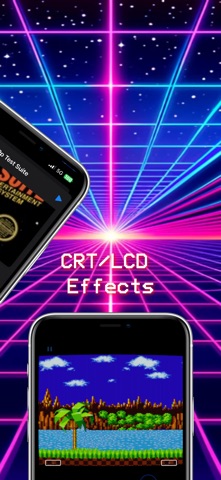
Provenance EMU is a multi-console emulator for many vintage arcade and console systems. Systems: - Atari - Atari 2600 - Atari 5200 - Atari 7800 - Atari 8bit Computer - Atari Jaguar - Atari Lynx - Bandai - WonderSwan - CBS - CBS ColecoVision - Enterprise - Enterprise 128 - IBM - IBM PC DOS - Magnavox - Magnavox Odyssey2 - Mattel - Mattel Intellivision - NEC - PC98 - PCFX - SuperGrafx - TurboGrafx-16 - TurboGrafx-CD - Nintendo - 3DS - DS - Famicom Disk System - Game Boy - Game Boy Advance - Game Boy Color - GameCube - NES - Nintendo 64 - Pokémon mini - Super Nintendo - Virtual Boy - Panasonic - 3DO - Philiips - CDi - Sega - 32X - Dreamcast - Game Gear - Genesis - Master System - Saturn - Sega CD - SG-1000 - Smith Engineering - Vectrex - SNK - Neo Geo - Neo Geo Pocket - Neo Geo Pocket Color - Sony - PlayStation - PlayStation Portable - Various - Game Music - Watara - Supervision - ZX - ZX Spectrum ----- Legal Notice ----- Terms of Use (EULA): https://www.apple.com/legal/internet-services/itunes/dev/stdeula/ Privacy Policy: https://provenance-emu.com/privacy/

DolphiniOS_4.0.0b7 x CyPwn
GameCube and Wii emulator for iOS Get pinged when any of your tweaks update. Free on Discord: https://discord.gg/mnJjP5qJRC

Delta_TS x CyPwn
Nintendo DS emulator. Get pinged when any of your tweaks update. Free on Discord: https://discord.gg/mnJjP5qJRC

OatmealDome
DolphiniOS is a port of the popular Dolphin emulator to iOS. Dolphin lets you play your favourite GameCube and Wii software with enhancements like higher resolutions, save states, and more. You can even play all of Nintendo's classics from past consoles through the Wii's Virtual Console library. Please note that devices with A8 processors and older are not compatible. Get pinged when any of your tweaks update. Free on Discord: https://discord.gg/mnJjP5qJRC

jarrodnorwell
Sudachi is the world's first Nintendo Switch emulator for iPad and iPhone, developed from the Yuzu base and utilizing a tailored MoltenVK for the Vulkan rendering, coded in C++, Objective-C, and Swift. Note: Now merged into a new app: Folium. Please refer to its description for more details. Last updated: 03-15-2024 Status: ❌ Get pinged when any of your tweaks update. Free on Discord: https://discord.gg/mnJjP5qJRC

Henrik Rydgård
PPSSPP is the best and only PSP emulator for iOS written in C++. It is capable of running a lot of original games but, depending on the power of your device, not all may run at full speed due to restrictions on non-jailbroken devices. The app was originally created by Henrik Rydgård in November 2012; however, iOS builds are mostly managed by talented developer, Karen Tsai (aka @angelxwind) and a large group of contributors that submit issue reports and fixes. Several versions of PPSSPP can be played on numerous devices such as Android, Windows, Mac, Linux and Blackberry 10. The iOS version can be found on both Jailbreak and non-Jailbreak devices. PPSSPP supports all versions of iPad, iPhone, iPod touch running iOS 5 and above; this includes iPhone 5 and other retina-enabled devices. The emulator does not require bios to play, PPSSPP is - in many ways - a “HLE” emulator. PPSSPP requires ROM images, specifically .ISO or .CSO files, to play. No ROMs are included in this copy of the emulator. If you own any games, add them through iTunes Sharing or other programs like 'iExplorer.' Keep in mind these files are extremely big, sometimes taking several gigs in size. The emulator is built to use JIT decompilers (dynarecs) which can only be accessed on a jailbroken device due to the codesigining requirement. Therefore, most games will run very slow on non-jailbroken devices; however, there are a few older PSP games that will run just fine and up to speed depending on your iOS device.

zzanehip
OldOS is a testament to the days of yesteryear, showcasing what iOS once was ten years ago. The ethos of the app is to merge the technologies of today with a pixel-perfect recreation of the user experience of the past. The vast majority of apps in OldOS are fully functional — meaning they seamlessly integrate with the data on your phone to deliver a live, emulator-esque experience. What does this mean? Well, you can play your music in iPod, get directions in Maps, surf the web in Safari, view the current weather in Weather, and much more. By the same token, no shortcuts were taken in fully fleshing out the operating system. You can change your background, adjust settings, search apps, et cetera. There are a few apps still not ready for primetime but don't worry, they're coming soon. With OldOS, you no longer need to worry about securing a legacy iPhone to experience nostalgia — it's available on your daily driver. Part of the goal with OldOS is to enable anyone to understand how iOS works and demonstrate just how powerful SwiftUI truly is. For that reason, the entire app is open-sourced — enabling developers to learn about, modify, and add to the app. I thought building this over my last six or so months in high school and sharing it with the world would be a fun and productive endeavor. Special Features: * 🧑💻 Built almost entirely using SwiftUI. * 🎨 Designed to be as close to pixel-perfect as possible. * 📱 Fully functional, perhaps even usable as a second OS. * ❤️ A testament to the work of Apple employees of both the past and the present. * 🗺️ Fully open source for all to learn, modify, and build on. Get pinged when any of your tweaks update. Free on Discord: https://discord.gg/mnJjP5qJRC

ipaomtk.com
ipaomtk.com | What is GamePlaytoo: PS2 Emulator IPA? GamePlaytoo: PS2 Emulator IPA is an iOS installation package that allows users to run PlayStation 2 games on iPhone devices through emulation technology, recreating the original console environment so classic titles can be played without needing physical hardware. The Concept Behind PS2 Emulation on iOS PS2 emulation works by […] Get pinged when any of your tweaks update. Free on Discord: https://discord.gg/mnJjP5qJRC

ipaomtk.com
ipaomtk.com | Running emulators and advanced sideloaded apps on iPhone has always been limited by one major restriction: JIT (Just-In-Time) compilation. Without JIT, apps like Dolphin Emulator or PojavLauncher run at reduced performance, often lagging or failing entirely. For years, enabling JIT required reconnecting your iPhone to a Mac or PC every single time you wanted to […] Get pinged when any of your tweaks update. Free on Discord: https://discord.gg/mnJjP5qJRC

ipaomtk.com
ipaomtk.com | Introduction Gbox has become a popular solution for iOS users who want more flexibility when installing applications on their devices. As Apple’s ecosystem is known for its strict limitations, many users search for alternative ways to access apps that are not always available through the official App Store. This is where installers like this one […] Get pinged when any of your tweaks update. Free on Discord: https://discord.gg/mnJjP5qJRC


Example Developer
This is an awesome app only available on AltStore.

Riley Testut
AltStore is an alternative app store for non-jailbroken devices. This version of AltStore allows you to install Delta, an all-in-one emulator for iOS, as well as sideload other .ipa files from the Files app.

Nintendo Co., Ltd.
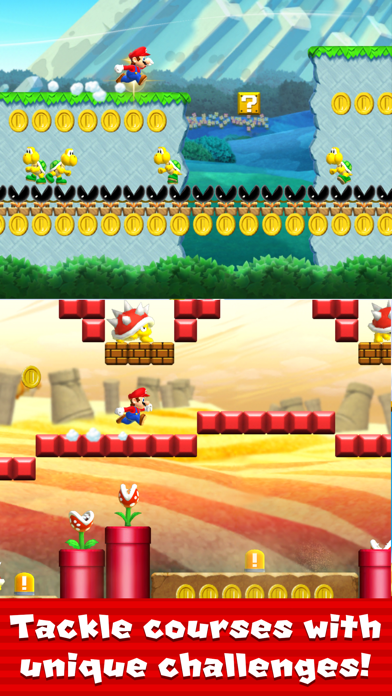
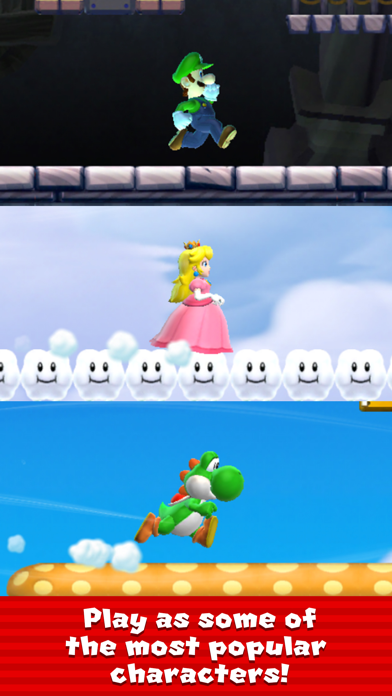
A new kind of Mario game that you can play with one hand. You control Mario by tapping as he constantly runs forward. You time your taps to pull off stylish jumps, midair spins, and wall jumps to gather coins and reach the goal! Super Mario Run can be downloaded for free and after you purchase the game, you will be able to play all the modes with no additional payment required. You can try out all four modes before purchase: World Tour, Toad Rally, Remix 10, and Kingdom Builder. ■World Tour Run and jump with style to rescue Princess Peach from Bowser’s clutches! Travel through plains, caverns, ghost houses, airships, castles, and more. Clear the 24 exciting courses to rescue Princess Peach from Bowser, waiting in his castle at the end. There are many ways to enjoy the courses, such as collecting the 3 different types of colored coins or by competing for the highest score against your friends. You can try courses 1-1 to 1-4 for free. After rescuing Princess Peach, a nine-course special world, World Star, will appear. ■Remix 10 Some of the shortest Super Mario Run courses you'll ever play! This mode is Super Mario Run in bite-sized bursts! You'll play through 10 short courses one after the other, with the courses changing each time you play. Daisy is lost somewhere in Remix 10, so try to clear as many courses as you can to find her! ■Toad Rally Show off Mario’s stylish moves, compete against your friends, and challenge people from all over the world. In this challenge mode, the competition differs each time you play. Compete against the stylish moves of other players for the highest score as you gather coins and get cheered on by a crowd of Toads. Fill the gauge with stylish moves to enter Coin Rush Mode to get more coins. If you win the rally, the cheering Toads will come live in your kingdom, and your kingdom will grow. ■Kingdom Builder Gather coins and Toads to build your very own kingdom. Combine different buildings and decorations to create your own unique kingdom. There are over 100 kinds of items in Kingdom Builder mode. If you get more Toads in Toad Rally, the number of buildings and decorations available will increase. With the help of the friendly Toads you can gradually build up your kingdom. ■What You Can Do After Purchasing All Worlds ・ All courses in World Tour are playable Why not try out the bigger challenges and thrills available in all courses? ・ Easier to get Rally Tickets It's easier to get Rally Tickets that are needed to play Remix 10 and Toad Rally. You can collect them in Kingdom Builder through Bonus Game Houses and ? Blocks, by collecting colored coins in World Tour, and more. ・ More playable characters If you rescue Princess Peach by completing course 6-4 and build homes for Luigi, Yoshi, and Toadette in Kingdom Builder mode, you can get them to join your adventures as playable characters. They play differently than Mario, so why not put their special characteristics to good use in World Tour and Toad Rally? ・ More courses in Toad Rally The types of courses available in Toad Rally will increase to seven different types of courses, expanding the fun! Along with the new additions, Purple and Yellow Toads may also come to cheer for you. ・ More buildings and decorations in Kingdom Builder The types of buildings available will increase, so you'll be able to make your kingdom even more lively. You can also place Rainbow Bridges to expand your kingdom. ・ Play Remix 10 without having to wait You can play Remix 10 continuously, without having to wait between each game. *Internet connectivity required to play. Data charges may apply. May contain advertisements.


Testut Tech
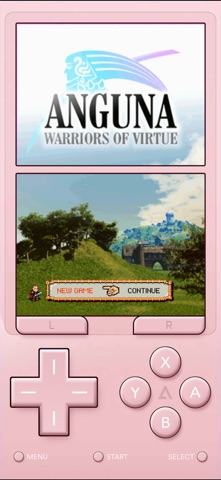
Delta is an all-in-one emulator for iOS and iPadOS. Delta builds upon the strengths of its predecessor, GBA4iOS, while expanding to include support for more game systems such as NES, SNES, N64, Nintendo DS, and Sega Genesis. FEATURES Supported Game Systems • Nintendo Entertainment System • Super Nintendo Entertainment System • Nintendo 64 • Game Boy (Color) • Game Boy Advance • Nintendo DS • Sega Genesis Online Multiplayer • Play online-compatible Nintendo DS games with friends around the world! • Connect via community Nintendo WFC servers • Choose one of the default servers, or provide a custom DNS Controller Support • Nintendo Switch Pro controllers, Joy-Cons • Nintendo Switch Online controllers (NES, SNES, N64) • PS4, PS5 • Xbox One S, Xbox Series X • MFi game controllers • Bluetooth & wired keyboards RetroAchievements • Sign in with your RetroAchievements account to earn achievements in any supported game • Supports Hardcore mode, which disables loading save states and using cheats • Shows your achievement progress when launching a game Save States • Save and load save states for any game from the pause menu. • Lock save states to prevent them from being accidentally overwritten. • Automatically makes backup save states to ensure you never lose your progress. • Support for “Quick Saves,” save states that can be quickly saved/loaded with a single button press (requires external controller). Cheats • Supports various types of cheat codes for each supported system: • NES: Game Genie • SNES: Game Genie, Pro Action Replay • N64: GameShark • GBC: Game Genie, GameShark • GBA: Action Replay, Code Breaker, GameShark • DS: Action Replay • Genesis: Action Replay, Game Genie Delta Sync • Sync your games, game saves, save states, cheats, controller skins, and controller mappings between devices. • View version histories of everything you sync and optionally restore them to earlier versions. • Supports both Google Drive and Dropbox. Custom Controller Skins • Beautiful built-in controller skins for all systems. • Import controller skins made by others, or even make your own to share with the world! • Supports animated buttons for even more immersion when playing games Hold Button • Choose buttons for Delta to hold down on your behalf, freeing up your thumbs to press other buttons instead. • Perfect for games that typically require one button be held down constantly (e.g. run button in Mario games, or the A button in Mario Kart). Fast Forward • Speed through slower parts of games by running the game much faster than normal. • Easily enable or disable from the pause menu, or optionally with a mapped button on an external controller. • Customize speed per-game by long-pressing Fast Forward option in pause menu. 3D/Haptic Touch • Use 3D or Haptic Touch to “peek” at games, save states, and cheat codes. • App icon shortcuts allow quick access to your most recently played games, or optionally customize the shortcuts to always include certain games. Game Artwork • Automatically displays appropriate box art for imported games. • Change a game’s artwork to anything you want, or select from the built-in game artwork database. Misc. • Gyroscope support (WarioWare: Twisted! only) • Microphone support (DS only) • Support for delta:// URL scheme to jump directly into a specific game. Delta Terms of Use: https://altstore.io/terms **Delta is in no way affiliated with Nintendo. The name "Nintendo" and all associated game console names are registered trademarks of Nintendo Co., Ltd.**

Jarrod Norwell
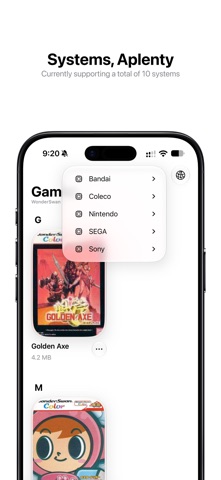
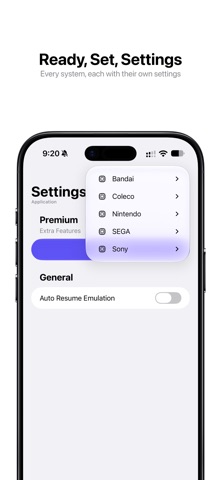
Folium is a beautifully designed, high performing multi-system emulation app bringing retro console and handheld gaming to Apple devices Supported Systems Bandai - WonderSwan - WonderSwan Color Coleco - ColecoVision Nintendo - 3DS - DS - Game Boy - Game Boy Advance - Game Boy Color - Nintendo Entertainment System - Super Nintendo Entertainment System SEGA - Genesis - Mega Drive Sony - PlayStation 1 Supported Game Controllers Backbone - One Nintendo Switch - Joy-Con - Pro Controller PlayStation - DualSense - DualShock 4 Xbox Series - S - X https://apple.com/legal/internet-services/itunes/dev/stdeula

@glesign
from @glesign | --------------- PPSSPP Gold v10017.3.0 🇷🇺 Эмулятор PSP — Платное приложение из AppStore © Создано: GLESign 🇺🇸 PSP Emulator — Paid app from the AppStore © Created: GLESign

StikEMU
StikNES delivers the classic Nintendo Entertainment System experience through a modern, intuitive SwiftUI interface. Built with performance and accuracy in mind, it leverages the power of the nes-rust library for authentic emulation while providing a seamless user experience on iOS devices. Status: ✅

Delta Dynamics
This is a very easy to use Roblox executor for iOS devices. Note: This may become outdated with error code 280. Please wait for an update if this occurs.' Status: ✅🔥

Appleware Team
Appleware is another executor but it uses code from Delta. Note: This may become outdated with error code 280. Please wait for an update if this occurs.' Status: ✅

utmapp
UTM is a full featured system emulator and virtual machine host for iOS and macOS. It is based off of QEMU. In short, it allows you to run Windows, Linux, and more on your Mac, iPhone, and iPad. More information at https://getutm.app/ and https://mac.getutm.app/ Status: ✅🔵

Karbin-Store
دێلتا - جێبەجێکار Get pinged when any of your tweaks update. Free on Discord: https://discord.gg/mnJjP5qJRC

iNDS-Team
iNDS is a derivation of the previous Nintendo DS apps for iOS, nds4ios and Nitrogen. The iNDS Team release of iNDS is a fork of the original iNDS emulator by William Cobb. iNDS Team aims to create a version that is driven by support from the community, adding trusted contributors to the team Status: ✅

nspire-emus
This project is currently the community TI-Nspire emulator, originally created by Goplat. It supports the emulation of Nspire Touchpad (CAS), CX (CAS) and CX II (-T/CAS) calcs on Android, iOS, Linux, macOS and Windows. Status: ✅

jpd002
Play! is a PlayStation2 emulator for Windows, macOS, UNIX, Android, iOS & web browser platforms. Status: ✅

yoshisuga
This is a port of MAME for iOS, iPadOS, tvOS and macOS. MAME4iOS is designed to run for modern iOS and macOS platforms, including support for the latest Apple technology platform enhancments such as Metal graphics and the M1 processor. Status: ✅

libretro
RetroArch is a frontend for emulators, game engines and media players. Among other things, it enables you to run classic games on a wide range of computers and consoles through its slick graphical interface. Settings are also unified so configuration is done once and for all.In addition to this, you are able to run original game discs (CDs) from RetroArch. RetroArch has advanced features like shaders, netplay, rewinding, next-frame response times, runahead, machine translation, blind accessibility features, and more! Status: ✅🔥

Wh0ba
GUI front-end for flips, libppf, xdelta, and libRUP patching libraries This app allows you to apply patches to files on your iOS devices, mostly used to apply rom hacks to video game romsWith a simple to use interface to make it as user-friendly as possible Status: ✅

Gryphel Project & zydeco
Features • Emulates Mac Plus, Mac II or Mac 128K • Full simulated keyboard (including all Mac keys) • Full sound output • Uses external keyboard if available • Regulable emulation speed • Easy(ish) to import/export disk images Please check out the github README for usage instructions: https://github.com/zydeco/minivmac4ios

T-Pau
Ready is an open source emulator for the following 8 bit home computers: * Commodore 64 * Commodore VIC-20 * Commodore 16, Plus/4 * Sinclair ZX Spectrum (16k, 48k, Spectrum+, 128k, +2) With preliminary support for these computers: * Atari 600XL, 800XL * Commodore 128 * Commander X16 It is based on atari800, fuse, Vice, and x16-emulator, which provide accurate emulation of many hardware variants and peripherals. Ready requires at least iPadOS 13.5. Ready aims to approximate the feeling of using actual hardware. Rather than configuring abstract settings, you select hardware components. The software keyboard is a facsimile of the original, reflecting the different existing styles. Even the noise of the disk drive is emulated. The Library section offers a way to organize a large collection of games, demos and programs. The emulated hardware can be customized for each entry. The Inbox provides a place to quickly try new programs. You can easily move the ones you want to keep to the library. Tools mode allows attaching a cartridge like Action Replay or Final Cartridge and a collection of disks with your favorite tools, to help you dig into the programs, like back in the day.

Antique
emuThreeDS is a Nintendo 3DS emulator for Apple TV, iPad and iPhone based on Citra.

ipaomtk.com
ipaomtk.com | MAME4iOS IPA is a popular emulator that allows gamers to play classic arcade games on their iOS devices. The IPA download for iOS is the preferred method for installing MAME4iOS, allowing users to access a wide variety of nostalgic games right from their iPhones or iPads. With the IPA download, gamers can relive their favorite […] Get pinged when any of your tweaks update. Free on Discord: https://discord.gg/mnJjP5qJRC

SideStore Team
Deltroid is an all-in-one emulator for iOS. Deltroid builds upon the strengths of its predecessor Delta while improving on it in a community supported fashion. Github Repository (https://github.com/lonkelle/Deltroid) FEATURES Supported Game Systems • Nintendo Entertainment System • Super Nintendo Entertainment System • Nintendo 64 • Game Boy (Color) • Game Boy Advance • Nintendo DS • Nintendo DSi • Sega Genesis • And plenty more to come! Controller Support • Supports PS4, PS5, Xbox One S, Xbox Series X, and MFi game controllers. • Supports bluetooth (and wired) keyboards, as well as the Apple Smart Keyboard. • Completely customize button mappings on a per-system, per-controller basis. • Map buttons to special “Quick Save”, “Quick Load,” and “Fast Forward” actions. Save States • Save and load save states for any game from the pause menu. • Lock save states to prevent them from being accidentally overwritten. • Automatically makes backup save states to ensure you never lose your progress. • Support for “Quick Saves,” save states that can be quickly saved/loaded with a single button press (requires external controller). Cheats • Supports various types of cheat codes for each supported system: • NES: Game Genie • SNES: Game Genie, Pro Action Replay • N64: GameShark • GBC: Game Genie, GameShark • GBA: Action Replay, Code Breaker, GameShark • DS: Action Replay Deltroid Sync • Sync your games, game saves, save states, cheats, controller skins, and controller mappings between devices. • View version histories of everything you sync and optionally restore them to earlier versions. • Supports both Google Drive and Dropbox. Custom Controller Skins • Beautiful built-in controller skins for all systems. • Import controller skins made by others, or even make your own to share with the world! Hold Button • Choose buttons for Delta to hold down on your behalf, freeing up your thumbs to press other buttons instead. • Perfect for games that typically require one button be held down constantly (ex: run button in Mario games, or the A button in Mario Kart). Fast Forward • Speed through slower parts of games by running the game much faster than normal. • Easily enable or disable from the pause menu, or optionally with a mapped button on an external controller. 3D/Haptic Touch • Use 3D or Haptic Touch to “peek” at games, save states, and cheat codes. • App icon shortcuts allow quick access to your most recently played games, or optionally customize the shortcuts to always include certain games. Game Artwork • Automatically displays appropriate box art for imported games. • Change a game’s artwork to anything you want, or select from the built-in game artwork database. Misc. • Gyroscope support (WarioWare: Twisted! only) • Microphone support (DS only) • Support for delta:// URL scheme to jump directly into a specific game. **Deltroid and Sidestore are in no way affiliated with Nintendo. The name "Nintendo" and all associated game console names are registered trademarks of Nintendo Co., Ltd.**

Riley Testut & Ian Clawson
This version of Delta is essentially the base version of Delta, but with a large number of popular and highly anticipated Pull Requests merged in. Keep in mind there are some bugs and graphical glitches. Refer to https://github.com/ianclawson/Delta-iPac-Edition#readme for more details.

yoshisuga & Olivier Goguel
An emulator for all things Apple.

Provenance Team
Relive the golden age of gaming. Provenance brings together a collection of classic gaming console emulators into a single app for your iPhone or iPad, with support for Apple Game Controllers for that authentic experience. Get pinged when any of your tweaks update. Free on Discord: https://discord.gg/mnJjP5qJRC